
Explain a solution, not only a product
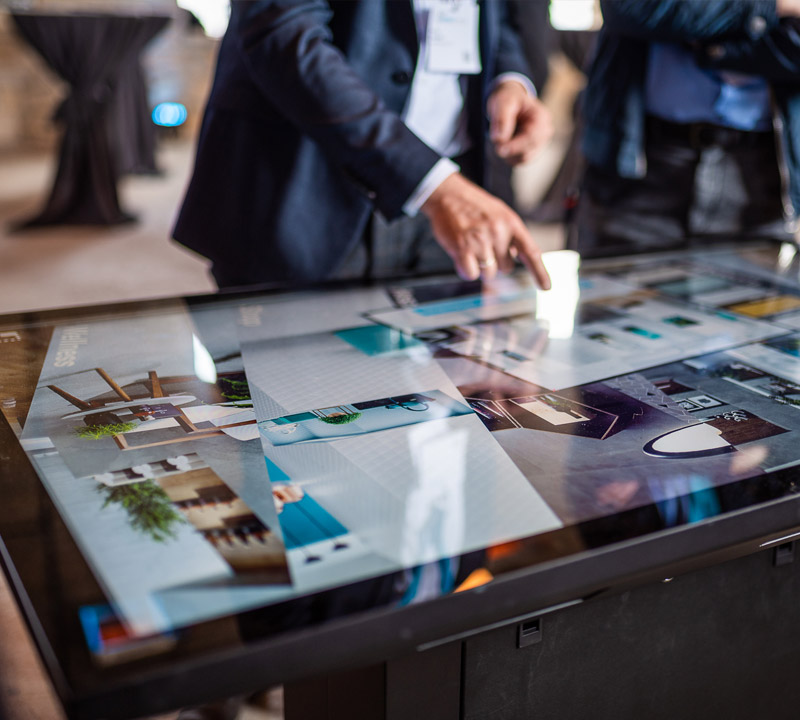
Corporate showrooms often present systems, software platforms and several related product families. A poster cannot explain every relationship, while a looping video cannot answer the question a customer is asking now. An interactive touch table for showroom use brings catalogs, diagrams, case studies, videos and specifications onto one surface where visitors can choose what matters to them.
Sales teams can compare configurations, enlarge details and switch between applications while speaking with customers. The tabletop naturally creates a face-to-face discussion area, making an interactive touch table for showroom presentations useful for reception, solution demonstrations and small meetings.
Serve purchasing, technical and management visitors
A buyer may focus on delivery, configuration and support. An engineer wants interfaces, structure and compatibility, while a manager wants the business result. The interface should provide distinct entry points instead of placing every file in one long menu. Organizing content by industry, product family or customer task shortens the search.
Standard presentation paths also help different sales representatives deliver consistent information. When a specialist needs more detail, the interactive touch table for showroom use can open deeper technical layers. Consistency and flexibility can exist in the same content system.
Connect samples with digital information
A showroom may include components, material samples or scale models. Object recognition can link each physical item to its digital record. When a sample is placed on the active surface, the table can show its construction, process, options and application differences.
Large equipment that cannot be installed in the showroom can be represented by 3D models, exploded animations and project video. The interactive touch table for showroom use does not replace the real product; it adds internal details and project context that are otherwise difficult to see.
Keep showroom content current
Product lines and references change regularly, so the content system should allow images, video, languages and specifications to be updated efficiently. Sales, marketing and engineering teams need clear ownership and approval rules. Offline media and a reliable default page reduce disruption when the network is unstable.
Installation planning should consider table height, viewing angle, reflections, cable routes and visitor circulation. Computing hardware, interfaces and cooling parts need service access so routine maintenance does not require dismantling the whole table.
Configure the table around the reception process
ZXTLCD can configure an interactive touch table for showroom projects around product type, visitor volume, brand design, software requirements and available floor space. Teams should first provide common presentation scenarios, a content inventory and expected use, then confirm screen, operating system, interfaces and enclosure.
During prototype review, sales and technical staff should test whether they can find information and complete a full customer explanation within a few minutes. That real workflow is a better measure of an interactive touch table for showroom project than a long feature list.
Extend the showroom conversation after the visit
Products and cases selected during the presentation can be placed in a session summary for the sales representative. The representative can then confirm relevance and send a focused follow-up package instead of giving every visitor the entire catalog. This keeps the interactive touch table for showroom use connected with the real sales process while avoiding automatic collection of unnecessary customer information.
The same approved content can also support a sample room, meeting room or remote presentation. Consistent media and terminology reduce the chance that different teams describe the same product in conflicting ways. A showroom administrator can schedule periodic reviews with engineering and marketing, remove obsolete cases, verify links and confirm that translations still match the current offer. This operating rhythm keeps the table useful after the launch event has passed.