
Create a connected visitor journey
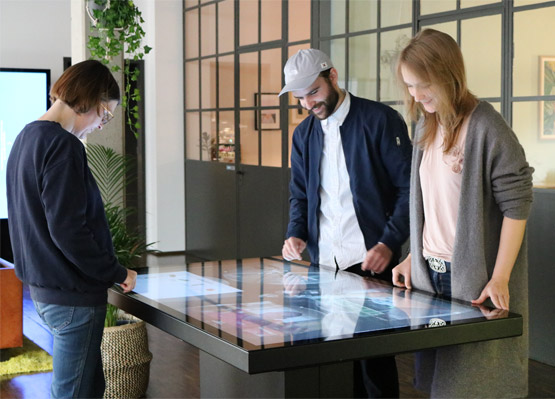
A smart exhibition hall should not be defined by the number of screens it contains. Its value comes from a connected journey linking space, exhibits and information. An object recognition table can sit at a key point in that journey, allowing a visitor to begin with a physical model and move into digital detail. The selected result can also be extended to a wall display, lighting scene or another interactive device.
Unlike a fixed video, an object recognition table lets visitors choose an item, compare alternatives and investigate details at their own pace. This active exploration reduces pressure on guided tours and gives general visitors, professional customers and student groups different levels of access to the same exhibition.
Build relationships between content nodes
Each recognized model needs a clear digital destination, but a smart hall also needs relationships between destinations. Selecting a building model may lead to transport, energy, floor use and construction phases. Selecting a machine may reveal its workflow, components and application cases. The object recognition table should therefore support connected stories rather than isolated pages.
Content can be organized by theme, language and audience. A general visitor receives a concise explanation, an engineering customer can open specifications, and a school group can follow a guided task. One object recognition table can serve these different journeys when the software structure is planned before production.
Coordinate the tabletop with larger displays
A tabletop is comfortable for close interaction, while a wall display is better for a group presentation. The current selection, comparison or 3D scene can be sent from the object recognition table to a nearby large screen. The handoff needs a clear owner and a simple reset so several devices do not compete for the same display.
If the hall includes booking, guided-tour or analytics systems, interaction data can help operators understand popular topics, session duration and language demand. Data collection should remain purposeful, with access rights and retention periods defined by the project team.
Design for daily operation
Public exhibition equipment faces repeated touch, long operating hours and frequent restarts. Stable construction, dependable touch performance, appropriate ventilation and serviceable internal components matter more than a one-time demonstration. Power, network and signal cables should be concealed but reachable, while physical recognition tokens need labels and secure storage.
Remote content updates, status checks and fault records make the object recognition table easier to manage. Core content should remain available during a temporary network interruption, with synchronization resuming later. Acceptance testing should cover recognition, touch, linked displays, offline behavior, default pages and restart procedures.
Define configuration from the exhibition goal
ZXTLCD works with exhibition companies and system integrators to configure an object recognition table around floor area, content volume, simultaneous users, linked equipment and visual language. Screen size and enclosure style are only part of the decision. Recognition method, software framework, maintenance access and expansion plans deserve equal attention.
A working content sample is often more useful than a rendering during design. It can confirm recognition distance, page direction, multi-user behavior and large-screen linkage before the final structure enters production.
Prepare the hall for expansion
A smart exhibition hall changes as new themes, displays and guided-tour systems are added. The object recognition table should use clear content identifiers, device names and documented interfaces so later integration does not depend on undocumented custom work. Expansion planning may include additional wall displays, room-control triggers, a new language package or a second table sharing the same approved content library.
Before a gallery renovation, teams can clone the current content environment and test the new version away from visitors. Only an approved release should be switched into production. Device inventory, configuration backups, software versions and recovery instructions belong in the operating documentation. This discipline is particularly important when several suppliers support one hall, because it makes responsibilities visible and gives the venue a recoverable baseline after staff or contractors change.