
Touch-point count is not the main benefit
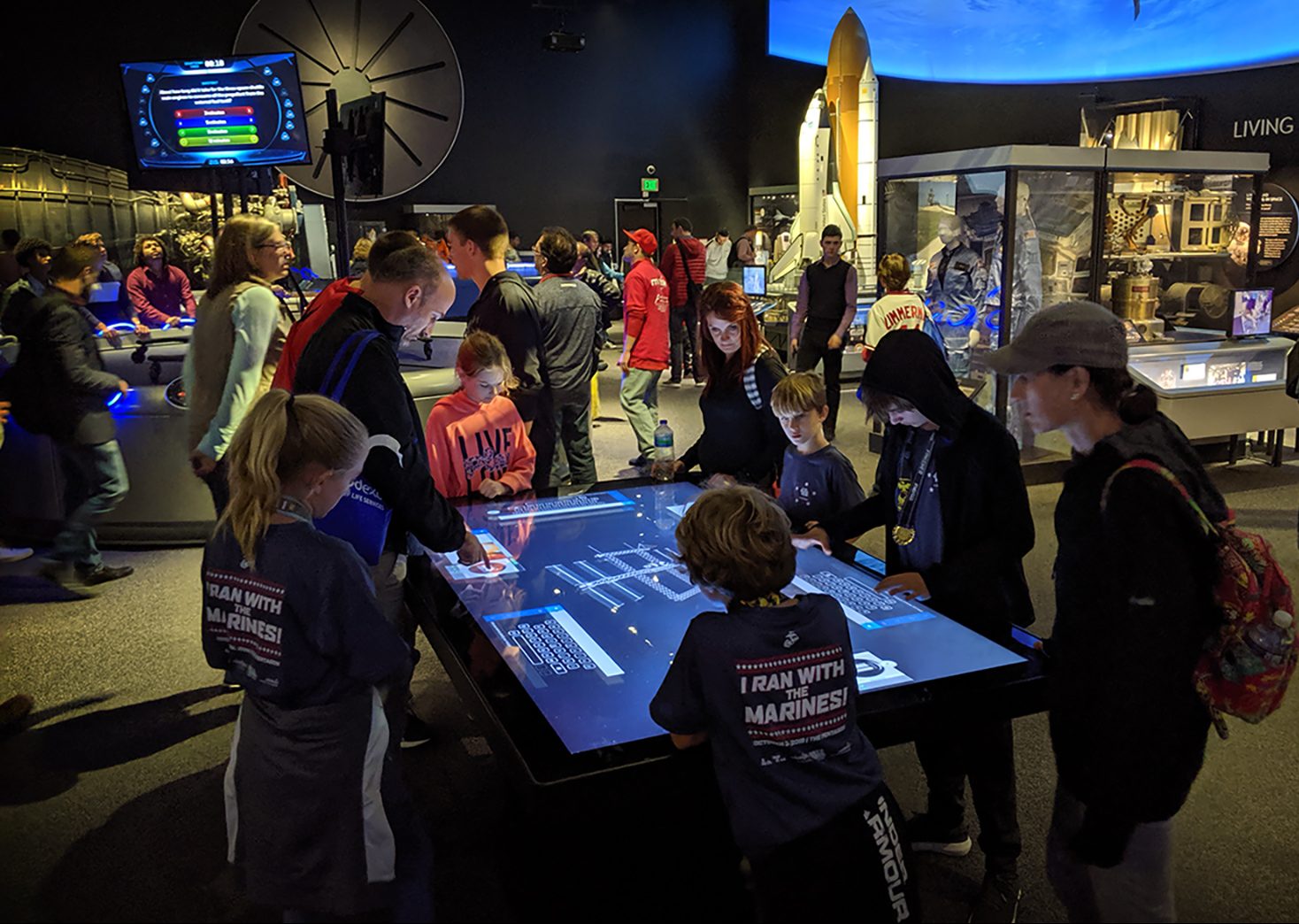
The real value of a multi touch table is that several people can work with the same information without waiting for turns. Exhibitions, classrooms, meeting rooms and cultural spaces all need shared viewing, discussion and decision-making. A horizontal surface lets participants gather around the content in a more natural arrangement than a single-user vertical kiosk.
A project should not be judged only by the advertised number of touch points. It should also confirm whether the software separates work areas, presents readable content from different directions and remains stable when several users drag or zoom simultaneously. Touch capacity creates value only when the interface supports it.
Combine personal work areas with a shared center
Collaboration does not require everyone to control one window. A multi touch table can provide separate areas where participants review material, then move selected items to a central space for discussion. Education applications can use sorting and group tasks, exhibitions can compare products, and meetings can support annotation.
The layout should adapt as the number of users changes. Two users and six users should not face the same crowded arrangement. Sensible limits on rotation, scaling and window size reduce accidental actions while preserving freedom.
Match touch hardware with the application
Screen size, touch technology, computing performance and application complexity need to be evaluated together. High-resolution media, 3D models and simultaneous animations require suitable processing resources. Continuous public operation also depends on cooling, dependable power and protective glass that balances clarity, touch response and cleaning.
Testing a multi touch table should include continuous dragging, rapid zooming, several open windows and long operating sessions. Accurate hardware cannot compensate for software designed only for a single forward-facing monitor.
Use a different interaction model for each venue
A museum emphasizes discovery and narrative, a school emphasizes tasks and feedback, a corporate showroom emphasizes products and cases, and a meeting room emphasizes documents and collaboration. The multi touch table hardware may be similar, but the content structure and user flow must reflect the actual venue.
A practical management system should support content updates, default-state recovery and device monitoring. Public installations also need an inactivity timeout or automatic reset so one visitor’s open pages do not affect the next session.
Accept the system through real tasks
ZXTLCD can configure a multi touch table around expected users, media type, installation, enclosure and operating system. Acceptance should go beyond confirming that the screen turns on and touch responds. Several people should complete a real task, such as comparing three products, assembling a solution or finishing a learning activity.
Completion time, accidental touches, readability and recovery behavior provide a more meaningful measure of whether a multi touch table is ready for long-term use.
Size the surface around people and tasks
A surface that is too small causes users to block one another, while an oversized display increases reach distance and makes central controls uncomfortable. A paper mock-up or working prototype should let representative users gather around the multi touch table and complete the intended task before final dimensions are approved. The test should record where hands cross, which text becomes difficult to read and whether users naturally understand personal and shared areas.
Projects mixing seated and standing use also need to consider table height, seating, knee clearance and viewing direction. Accessibility is not achieved by software alone; enclosure geometry and interface layout must be tested together. If the installation includes a facilitator, that person needs a position that does not dominate the table. These observations can guide window size, control placement and the number of simultaneous activities more reliably than a touch-point specification by itself.