
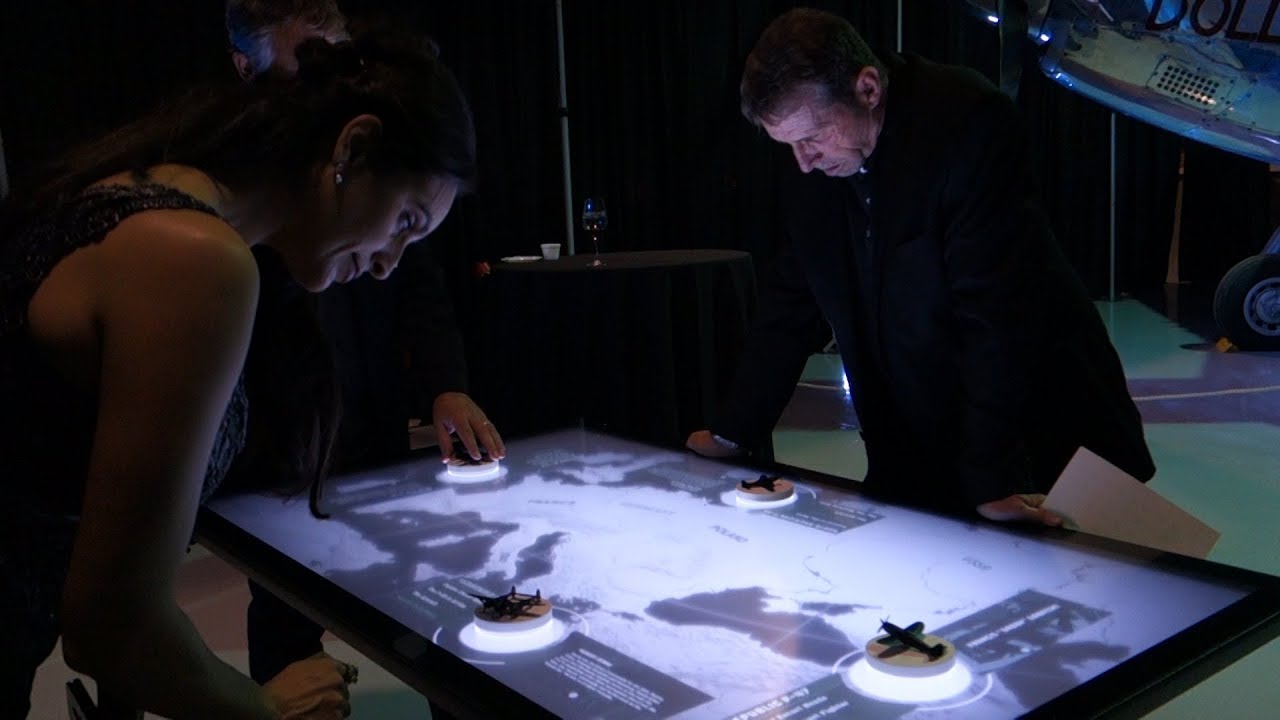
An object recognition touch table combines display, touch and tabletop space so several users can view, choose and discuss the same content. It is not simply a vertical screen turned sideways: operating direction, reach, table height and the multi-user interface directly shape the experience.
When a physical model with a recognition module is placed on the surface, the system reads its identity and position and opens the corresponding images, video, specifications or 3D animation. The model itself becomes the entry action, without requiring visitors to understand a menu first.
Object Recognition Touch Table: Physical Models Become Content Triggers
When a visitor places a model with a recognition module on the table, the system identifies the object and position before calling the related images, video, specifications or 3D content.
On the object recognition touch table, when a physical model with a recognition module is placed on the surface, the system reads its identity and position and opens the corresponding images, video, specifications or 3D animation. The model itself becomes the entry action, without requiring visitors to understand a menu first.
Continue Exploring by Touch After Recognition
After content appears, visitors can zoom, rotate, move or select deeper levels, while object triggers and finger touches must remain distinguishable to avoid interference.
On the object recognition touch table, after recognition, fingers can continue to zoom, rotate and choose information. Objects and touch points use separate data types, allowing the software to retain model position while responding to exploration by several visitors.
Show Fine Detail and Link a Larger Display
High resolution supports maps, structures and detail, while linked displays can mirror table interaction to a larger screen when resolution and signal logic are coordinated.
A 4K tabletop suits maps, mechanical structures and detailed product views. For group viewing, table interaction can be linked to a wall display so a presenter controls the content while distant visitors see the changes triggered by each model.
Send Recognition Data through TUIO
Standard TUIO communication can pass touch and recognition data to Unity, Unreal or Ventuz applications, while developers still define content logic, animation and error handling.
TUIO can pass touch points, object identity, orientation and position to applications such as Unity, Unreal or Ventuz. Developers build the content and animation rules, while the ZXTLCD hardware provides stable recognition and touch data.
Keep Recognition Stable with Real Models
Module size, placement direction, simultaneous object count, glass structure and electromagnetic conditions require testing; one demonstration result cannot be copied to every project.
Model footprint, module position and tabletop glass construction affect reading performance. When several models are used together, suitable spacing allows the system to track each object rather than working only at one prepared demonstration position.
Check Every Model through a Complete Interaction
Every model should be tested for placement, movement, removal and repeat use, confirming content matching, response time, multi-touch, restart and content updates.
Each model can be checked through placement, movement, rotation, removal and repeat placement. Content must match the object identity, and removal should close or retain the page as designed so the next visitor begins from a clear state.
A Product Configuration Ready for Project Delivery
The object recognition touch table can use Android or Windows according to software load and combine the required screen size, touch method, table form, interfaces and optional modules. ZXTLCD can install customer content on a sample and confirm operating direction, picture quality and structural details before volume production.
From the first day of use, a clear start page, stable touch, concealed cables and accessible service construction are part of the product value. The unit should attract users during its first presentation and retain the same experience through repeated operation, content changes and routine cleaning.