
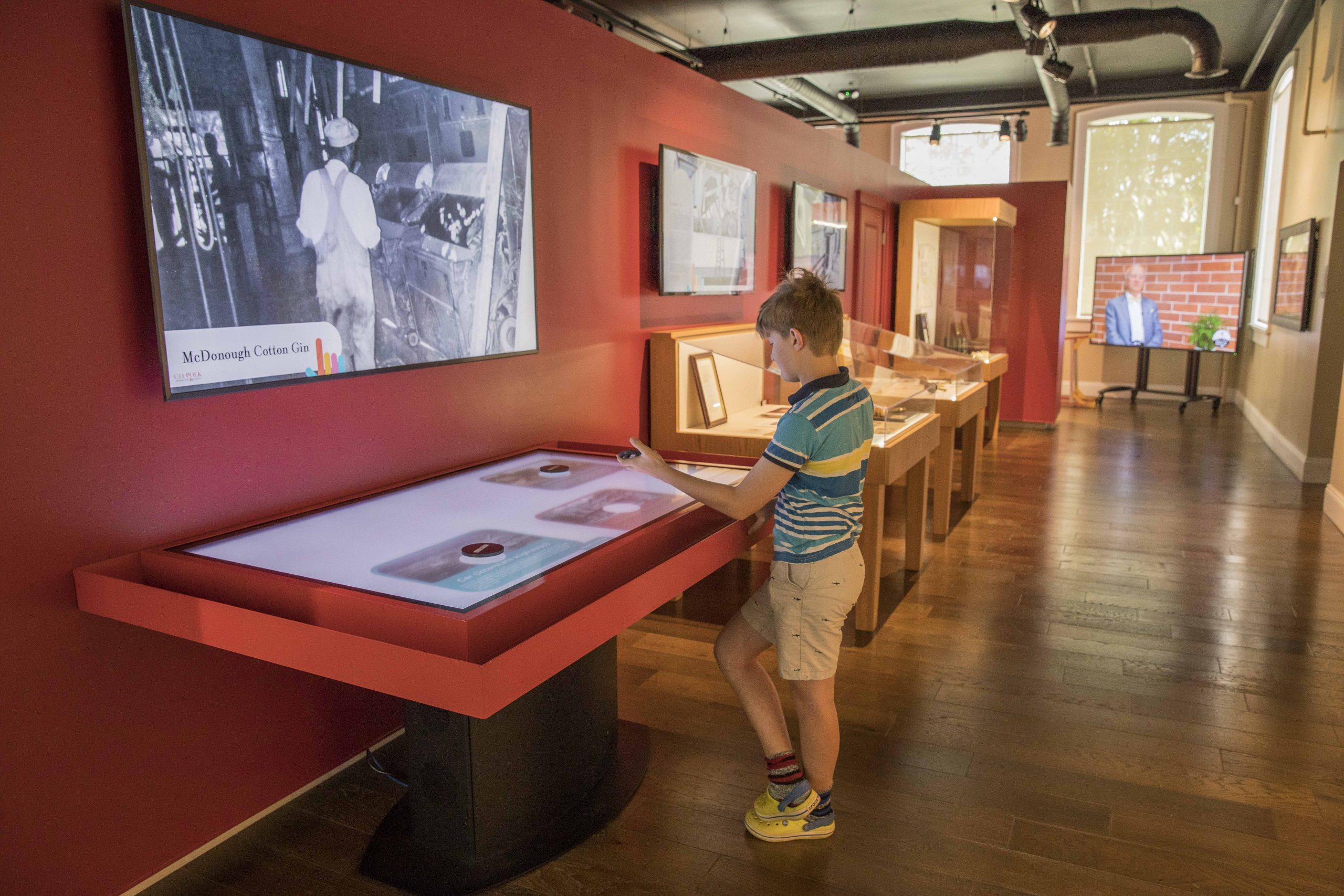
An interactive object recognition table combines display, touch and tabletop space so several users can view, choose and discuss the same content. It is not simply a vertical screen turned sideways: operating direction, reach, table height and the multi-user interface directly shape the experience.
Placing a physical exhibit model on the table opens its story, period, specifications or 3D structure. Visitors enter the content by choosing and comparing objects, creating a clearer physical-digital relationship than menu search.
Interactive Object Recognition Table: Use Physical Models as Story Entrances
A visitor places a model to trigger its story, specifications, video or 3D structure, creating a clear relationship between the selected object and displayed content.
On the interactive object recognition table, placing a physical exhibit model on the table opens its story, period, specifications or 3D structure. Visitors enter the content by choosing and comparing objects, creating a clearer physical-digital relationship than menu search.
Give Several Visitors Separate Interaction Space
Several visitors may place models and touch simultaneously, so the interface needs zones, controlled overlays and independent return paths to prevent one person changing everything.
On the interactive object recognition table, when several people interact, each model can open a local content zone while fingers zoom and select details. Overlays do not cover the full surface, and removing a model returns its content area for other visitors.
Extend Table Interaction to a Larger Display
The table can handle interaction while a larger display supports distant viewing or guided explanation, with signal sync, aspect ratio and latency tested on site.
The tabletop supports close exploration, while a linked display serves group viewing and guided explanation. Model-triggered content can appear on a distant screen so the presenter handles the object without bringing the entire group to the table edge.
Use Games to Reinforce Exhibit Knowledge
Matching, sequencing, puzzles and tasks can increase participation, but rewards and animation should reinforce exhibit knowledge rather than hide the exhibition theme.
Matching, sequencing, puzzles and missions can be built around exhibit knowledge. Completion reveals an explanation and related exhibits, returning the game result to the exhibition theme rather than leaving only points and animation.
Keep Models and Digital Content Paired
Recognition modules need numbering, while models require storage, cleaning, replacement and fault procedures; every physical-content relationship must be checked after updates.
Each model remains paired with its recognition identity and has a storage position and replacement plan. After a content update, placing every model once prevents a physical exhibit from pointing to the wrong digital material.
Return to a Clear Welcome State for Every Visitor
Acceptance should test approaching, choosing a model, triggering content, continuing touch, leaving and interface reset across children, groups and guided-tour use.
From approaching the table and choosing a model to triggering content, continuing by touch and leaving, the interface returns to its welcome state. Children, families and guides all begin from a clear entry on the same equipment.
A Product Configuration Ready for Project Delivery
The interactive object recognition table can use Android or Windows according to software load and combine the required screen size, touch method, table form, interfaces and optional modules. ZXTLCD can install customer content on a sample and confirm operating direction, picture quality and structural details before volume production.
From the first day of use, a clear start page, stable touch, concealed cables and accessible service construction are part of the product value. The unit should attract users during its first presentation and retain the same experience through repeated operation, content changes and routine cleaning.
Exhibition content can build comparisons around a group of models. When different materials, historical stages or product options are placed together, the screen presents key data for each and creates a shared comparison in the centre. Removing one model rearranges the remaining information without leaving an inactive window. This continuous response turns physical handling into the narrative order, making the table suitable for exhibits about differences, development or combinations and allowing a guide to adjust the explanation according to the objects selected by the audience.