
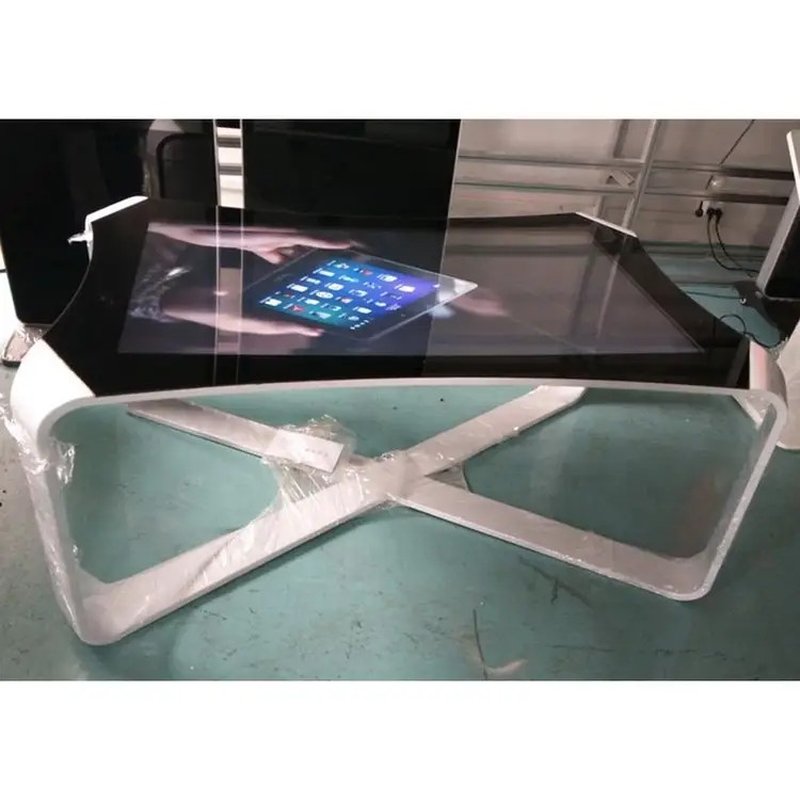
Deploying a commercial-grade Smart Touch Table Care and Maintenance provides interactive venues with an advanced digital display platform. Integrating display, touch interactivity, and multimedia capabilities, smart touch tables are widely utilized in corporate showrooms, modern offices, commercial retail spaces, educational institutions, and recreational venues. Establishing standardized daily maintenance practices not only maintains the sleek appearance and responsive touch performance of the tabletop, but also substantially reduces equipment failure rates and extends the product lifespan.
Below are essential guidelines and best practices for the daily care and maintenance of smart touch tables.
1. Cleaning the Touchscreen Surface Properly with a Smart Touch Table Care and Maintenance
During routine operation, avoid bringing sharp, abrasive, or metallic objects into direct contact with the touchscreen surface to prevent scratching and surface coating degradation.
When cleaning, power down the device following manufacturer instructions, and gently wipe the screen with a clean, soft, lint-free microfiber cloth to remove dust, smudges, and fingerprints. For stubborn grease or stains, use a manufacturer-recommended screen cleaner rather than scraping or applying excessive pressure.
Never spray cleaning liquids directly onto the glass, and avoid using unapproved industrial alcohol, thinners, or harsh chemical solvents. Certain chemicals can damage anti-glare coatings, oleophobic layers, or perimeter seals. Always adhere strictly to the product manual.
2. Maintaining Proper Ventilation and Clean Surrounding Spaces
Smart touch tables integrate high-brightness display panels, touch sensor assemblies, internal motherboards, and power supplies. Ensure the surrounding area remains tidy and free of clutter that could obstruct cooling vents or impede natural airflow.
During regular inspections, check whether dust has accumulated around the bottom chassis, ventilation grilles, or cable grommets. Any internal cleaning or casing disassembly should be performed exclusively by qualified service technicians in accordance with technical guidelines to prevent damage to sensitive internal components.
3. Regularly Inspecting Power Supplies and Cable Connections
The integrity of power cords, plugs, and data interfaces is critical to the safe and reliable operation of the equipment. Routinely inspect cables for fraying, loose terminal connections, abnormal heat dissipation, or visible wear, ensuring all connections remain firmly seated.
If you detect damaged power cords, burning odors, persistent touch drift/failure, or erratic rebooting, immediately disconnect power, discontinue use, and arrange for authorized professional diagnosis. Do not attempt unauthorized disassembly of live electrical components.
4. Shielding from Direct Sunlight and Moisture Ingress
Smart touch tables should be installed in controlled indoor environments meeting operating specifications. Prolonged exposure to intense direct sunlight can accelerate the aging and discoloration of enclosure materials, while excessive ambient humidity or moisture entering internal electronics can compromise circuit boards and cause electrical shorts.
Prevent beverages and liquids from splashing onto the display surface, I/O ports, or chassis seams. Even if a model features tempered glass or spill-resistant designs, users must observe the specified ingress protection rating (IP rating) and handle liquids with care.
5. Long-Term Storage and Software System Maintenance
If the touch table will remain unused for extended periods, shut down the operating system properly, disconnect the main power supply, and store the unit in a cool, dry, well-ventilated environment. Prior to restarting, conduct a comprehensive check of cable connections, structural integrity, and initial boot-up diagnostics.
Software updates and OS patches should follow manufacturer release protocols. Before updating, verify hardware compatibility and back up critical configuration data and multimedia files. Avoid installing unverified third-party software or making unauthorized modifications to system partitions.
6. Establishing a Preventive Routine Maintenance Schedule
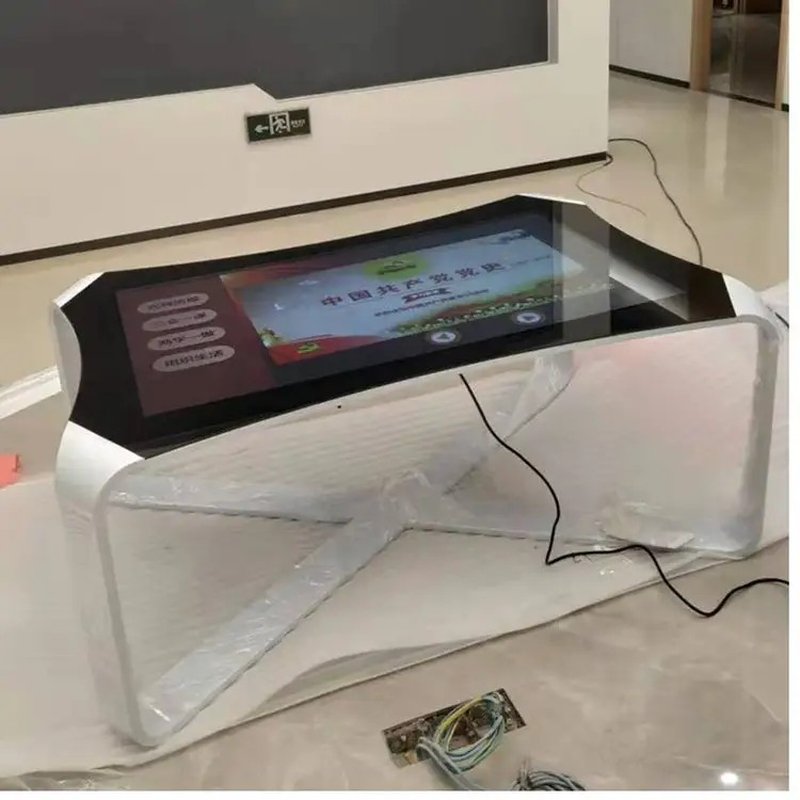
For smart touch tables deployed in high-traffic environments—such as exhibition halls, shopping malls, schools, or public waiting lounges—a structured preventive maintenance checklist is strongly advised:
Daily to weekly cleaning: Gently wipe the screen and wipe down outer table surfaces.
Connection checks: Inspect power plugs, network cables, and external peripheral connections.
Thermal checks: Ensure cooling vents and heat dissipation fans remain unblocked by dirt or debris.
Interactive diagnostics: Test multi-touch responsiveness, color consistency, audio output, and application stability.
System updates: Perform scheduled software updates and firmware maintenance under manufacturer instructions.
Incident logging: Record any recurring anomalies or errors for prompt service intervention.
7. ZXTLCD Smart Touch Table Maintenance Recommendations
ZXTLCD smart touch tables serve versatile roles across commercial presentation, immersive user experiences, educational activities, and casual entertainment. Because screen materials, chassis construction, cooling architectures, and IP ratings vary between models, maintenance procedures should align with the exact model’s instruction manual.
By practicing gentle cleaning, maintaining ideal operational environments, inspecting electrical connections, and carrying out systematic software care, owners can ensure reliable round-the-clock performance and maximize the long-term return on their interactive display investments.
Summary
The foundation of smart touch table maintenance rests on gentle cleaning, preventing liquid ingress, ensuring unobstructed ventilation, inspecting electrical connections, and executing disciplined software maintenance. Adhering to these professional care standards guarantees crisp visuals, agile touch response, and enduring equipment longevity. In conclusion, adopting a professional Smart Touch Table Care and Maintenance enhances presentation capabilities, engages multi-user audiences, and drives digital transformation.
Looking for customized Smart Touch Table Care and Maintenance hardware, multi-touch interactive tables, or OEM/ODM commercial display solutions? Feel free to contact the ZXTLCD engineering team for free consultations, product demos, and tailored technical specifications.