
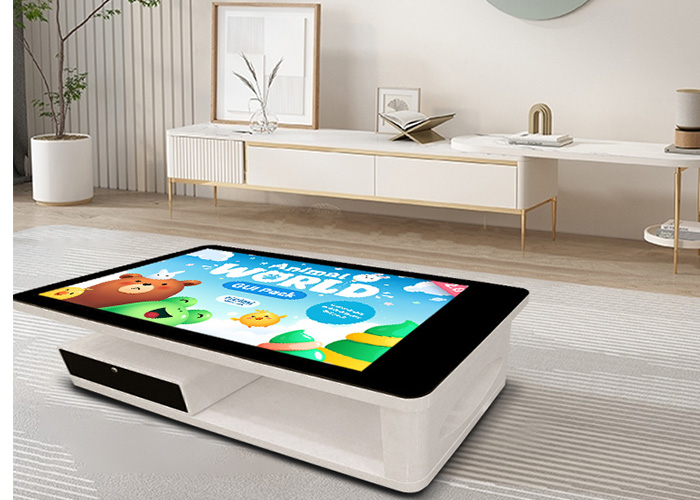
A reception table has to do more than look attractive. It must support drinks, documents, informal conversation and product presentations while remaining easy to clean and dependable throughout the working day. A wooden smart touch table brings those roles together, combining a warm furniture finish with a large interactive surface that can be used when a discussion needs visual support.
Why wood changes the experience of an interactive table
Wood introduces a softer and more familiar character than a purely technical enclosure. In a reception room, executive office or customer lounge, it can match other furniture instead of making the area feel like an equipment showroom. The screen remains the working center, but the surrounding material helps the product sit naturally beside chairs, cabinets and tea service.
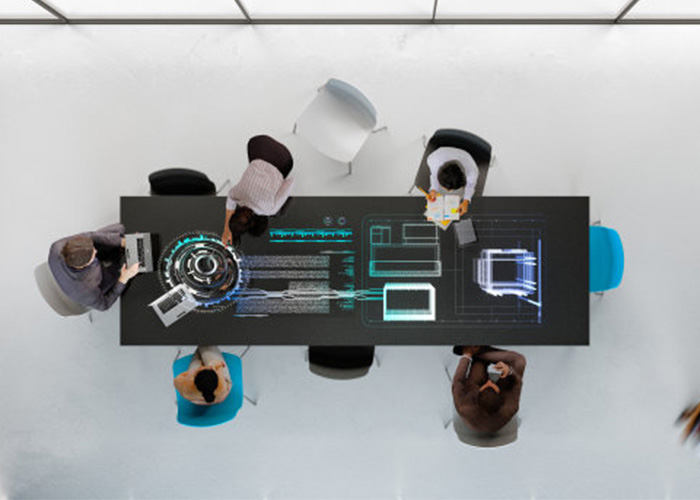
The furniture role matters when the screen is not in use. Visitors can place brochures or discuss a project around the table without being forced into a formal presentation. When drawings, videos, catalogs or plans are needed, the display can be turned on and the same meeting can continue without moving everyone to another room. This change from ordinary conversation to shared visual review is one of the most useful characteristics of a wooden smart touch table.
Daily cleaning without damaging wood or glass
The screen and the wooden surround should not be cleaned in exactly the same way. For the glass, first turn off the display so fingerprints and residue are easy to see. Remove loose dust with a clean microfiber cloth, then use a slightly damp second cloth for marks. Liquid should be applied to the cloth rather than sprayed directly onto the screen, because overspray can travel toward edges, seams, ports or internal electronics.
The wooden area needs an even lighter touch. Wipe along the grain with a soft cloth and remove moisture immediately. Strong solvents, abrasive pads and heavily soaked towels can affect a coating or leave dull patches. The correct cleaning product depends on the actual wood finish supplied with the table, so the maintenance team should keep the manufacturer’s approved cleaner with the unit instead of using a general-purpose chemical selected at random.
Tea and coffee require a clear routine. Use coasters or a tray, keep cups away from the display edge, and blot a spill immediately rather than rubbing it across a wider area. Check the joint between the screen and the surround after any spill. A practical wooden smart touch table care kit can be simple: two microfiber cloths, approved surface cleaner, a dry absorbent cloth and a small soft brush for seams.
Control heat, sunlight and room humidity
Reception areas often have large windows, decorative lighting and limited airflow around furniture. Direct sunlight can raise the surface temperature and gradually change the appearance of some wood finishes. It can also make the display harder to read. Position the table away from prolonged direct sun where possible, and leave ventilation openings clear instead of hiding them with magazines, boxes or fabric.
Large changes in humidity are also unhelpful for wooden furniture. Avoid placing the table directly beside heating outlets, air-conditioning discharge points, humidifiers or frequently opened exterior doors. Stable indoor conditions reduce movement in wooden components and limit condensation risk. If the room has been closed for a holiday, allow it to return to normal temperature before operating the unit for a long presentation.
Inspect the structure instead of waiting for movement
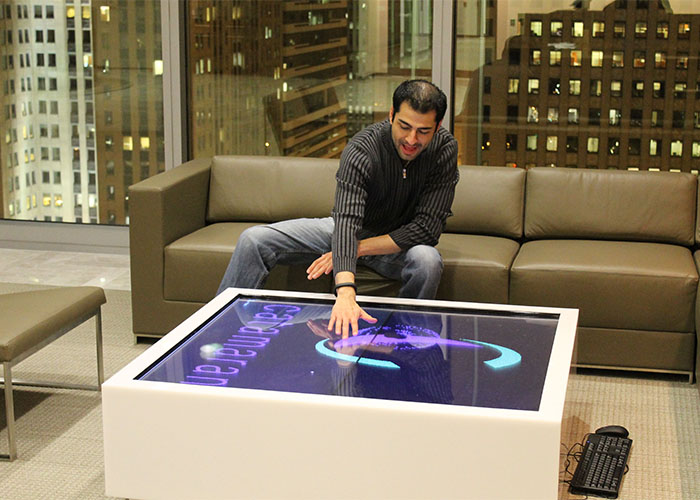
People naturally lean on a table during conversation, so structural checks are as important as screen care. On a regular schedule, inspect the legs, connecting points and underside panels for looseness. Look for a new gap, uneven stance, cable rubbing or a sound that was not present before. Tightening should follow the assembly guidance; excessive force can damage a threaded insert or wooden component.
Do not drag the table across the floor unless its design specifically supports that method. Clear the screen, disconnect power and data cables, protect the corners and use enough people or suitable moving equipment. After relocation, confirm that the table stands level, that cables are not trapped under a foot, and that the touch response remains aligned across the full screen.
Maintain the digital experience as carefully as the furniture
A clean screen is not enough if visitors see old files, broken links or a complicated home screen. Keep reception content in a clearly labeled folder and remove expired campaigns. Use a limited visitor interface where appropriate, especially when the table connects to an office network. Staff should be able to return to the home screen quickly without searching through personal documents or administrative menus.
Check touch performance in the areas people use most, including menu buttons near the corners, comparison controls and on-screen keyboards. Test video and audio before an important visit. Operating-system and application updates should be scheduled outside customer hours, with a restart and function check afterward. This simple discipline makes a wooden smart touch table feel reliable rather than experimental.
A practical weekly and monthly routine
Each week, clean the glass and wood correctly, inspect visible cables, confirm that ventilation is unobstructed and open the main presentation files. Walk around the table and check for wobble or damage. If many visitors have used it, repeat the screen cleaning and high-use touch test more often.
Each month, review stored content, available storage space, system startup time and network access. Inspect connection points under the table and record any recurring issue. Keep maintenance notes with dates and actions, even when the action is minor. A short record helps identify whether a loose connection, heat problem or software delay is becoming more frequent.
Prepare the table around the real reception flow
Before opening the room, approach the table as a visitor would. Is the first screen understandable? Can a staff member find a product, drawing or video in a few touches? Is there a safe place for cups? Can seated and standing users view the content without awkward reach? These questions reveal practical problems that a technical startup test may miss.
With sensible placement, careful surface treatment and routine digital checks, a wooden smart touch table can serve as both furniture and an interactive work surface for years. Its value comes from the combination: a welcoming physical presence, shared access to information and a maintenance routine that protects both sides of the product.