
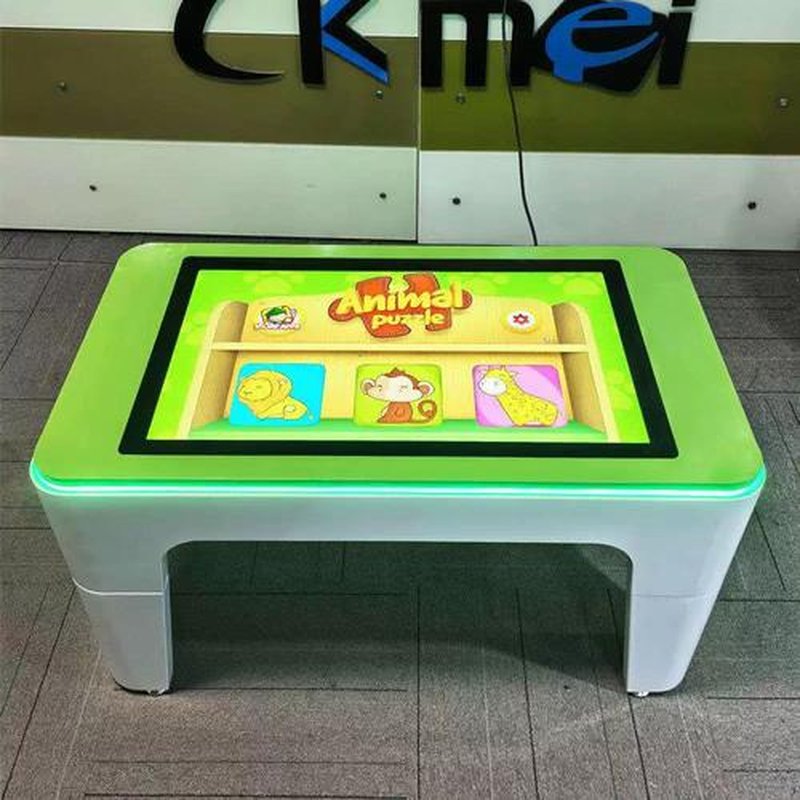
Deploying a commercial-grade Kids Interactive Touch Table provides interactive venues with an advanced digital display platform. Kids touch tables transform traditional learning into interactive digital experiences, inspiring children to actively explore through touch technology and gamified design. By aligning with children’s cognitive characteristics and operating habits, these devices seamlessly integrate reading, literacy, knowledge acquisition, and interactive games, making them ideal for kindergartens, schools, libraries, and children’s activity spaces.
1. How Do Kids Touch Tables Enable Interactive Learning? with a Kids Interactive Touch Table
Kids touch tables achieve human-computer interaction through touch technology and integrate digital educational content to provide children with an intuitive and engaging learning experience. Their core value lies in transforming conventional reading and learning activities into an operable, feedback-driven interactive process, empowering children to understand concepts through hands-on exploration.
Common touch technologies include capacitive touch and infrared touch. Capacitive touch detects touch points by sensing changes in electrical capacitance across the screen, while infrared touch identifies interaction points by detecting interruptions in infrared light paths. Each technology offers distinct characteristics in touch responsiveness, structural design, and operating environments, allowing venues to choose according to their actual operational needs.
Kids touch tables can also integrate anti-glare screens, child-friendly user interfaces, and ergonomically sound content layouts to enhance everyday usability. With network connectivity, devices can update educational content based on system configurations, facilitating routine management for schools, libraries, and other educational spaces.
2. Gamified Design Makes Learning More Intuitive
Compared to devices used solely for reading electronic content, kids touch tables combine text, images, animations, and interactive tasks to make the learning journey substantially more dynamic.
For example, in literacy activities, children can drag letters to form words; in science education, they can tap images to view relevant introductions or trigger animated demonstrations; in math exercises, they can complete basic tasks through selection, matching, and dragging. These interactive modalities help children connect abstract concepts with concrete physical operations.
Kids touch tables can also feature customizable learning content tailored to educational themes, including language enlightenment, numerical cognition, shape recognition, scientific knowledge, and reading comprehension. By structuring task difficulty and feedback mechanisms progressively, the devices deliver a scaffolded interactive learning journey for children.
3. Interaction Design Must Adapt to Children’s Operational Capabilities
Because children vary in age, cognitive development, and fine motor skills, the interface design of kids touch tables must remain as clear and intuitive as possible.
Larger interactive icons, uncluttered layouts, explicit visual prompts, and immediate interactive feedback help children understand task requirements quickly. For younger children, interfaces should minimize nested menus, intricate multi-step workflows, and overly dense interactive elements to lower cognitive load and barrier to entry.
Multi-touch capability supports simultaneous group participation; however, the actual number of concurrent users and interaction quality depend on touch hardware performance, software optimization, and content design. For collaborative group learning scenarios, thoughtfully planning operational zones and interaction rules is far more critical than merely increasing raw touch-point counts.
4. Primary Educational Application Scenarios for Kids Touch Tables
Kindergartens and Schools: Ideal for early literacy, math enlightenment, interactive reading, classroom presentations, and collaborative group learning, assisting educators in organizing diverse instructional activities.
Libraries and Reading Spaces: Can integrate digital picture books, interactive storytelling, and knowledge lookup features to enrich children’s reading experiences and foster independent exploration.
Children’s Activity Centers: Can host educational puzzle games, trivia challenges, graphic matching, and thematic exploration activities, delivering an engaging experience that balances entertainment with educational value.
Home Educational Spaces: Used for parent-child shared reading, foundational practice, and interactive games, serving as a digital assistant for home-based learning.
Different scenarios present varying requirements regarding hardware durability, ease of cleaning, software management, and content updates, requiring tailored configurations based on actual usage frequency and ambient conditions.
5. Key Considerations for Operation and Maintenance
Because kids touch tables are subjected to frequent physical contact, routine maintenance and usage management are essential.
Keep the Screen Clean: Use cleaning products suitable for screen surface materials and avoid harsh chemicals or abrasive agents that could degrade optical coatings.
Conduct Periodic Inspections: Regularly check the display panel, chassis enclosure, connecting cables, and power components for anomalies to ensure continuous, stable operation.
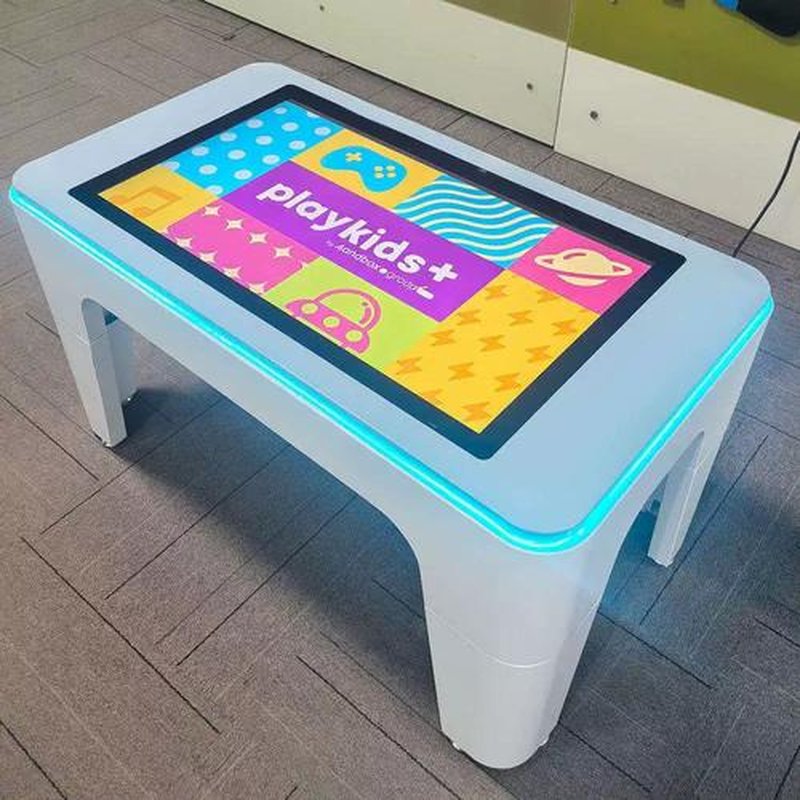
Prioritize Physical Safety: Ensure the table is placed on a stable surface, select structural designs with rounded corners suitable for children, and keep power supplies and wiring properly concealed and managed.
Structure Usage Time Reasonably: Interactive digital devices should serve as part of a diversified teaching toolkit, harmoniously balanced with traditional reading, hands-on physical crafts, and rest breaks.
Maintain Content Relevance: Periodically update educational materials in line with children’s developmental stages and learning objectives, avoiding age-inappropriate or excessively difficult tasks.
Note that specifications such as anti-glare coatings, low blue light management, multi-touch counts, and network interfaces vary by specific product model; hardware selection should refer directly to official product specifications.
6. ZXTLCD Kids Touch Table Solutions
ZXTLCD delivers tailored kids touch table solutions configured to the specific requirements of diverse educational environments, helping venues consolidate interactive reading, educational games, digital displays, and instructional activities into a unified touch platform.
Throughout solution planning, configurations can be customized across target group sizes, display dimensions, mounting styles, touch technologies, software suites, and maintenance requirements, ensuring the equipment fits seamlessly into kindergartens, schools, libraries, and children’s activity centers.
The true value of a kids touch table goes far beyond simply displaying digital content on a screen; it lies in leveraging intuitive touch interaction and sound instructional design to help children transition from passive information recipients to active, engaged learners. Combining age-appropriate educational content with user-friendly, safe, and durable industrial design is the key to unlocking the full potential of interactive learning. In conclusion, adopting a professional Kids Interactive Touch Table enhances presentation capabilities, engages multi-user audiences, and drives digital transformation.
Looking for customized Kids Interactive Touch Table hardware, multi-touch interactive tables, or OEM/ODM commercial display solutions? Feel free to contact the ZXTLCD engineering team for free consultations, product demos, and tailored technical specifications.