
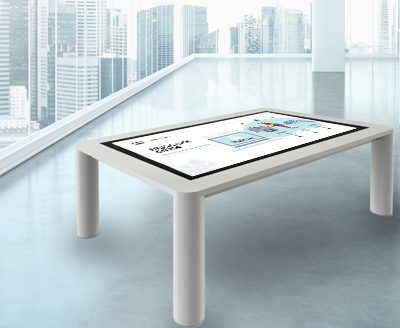
Treat the table as a place where visitors gather
Exhibition design manages circulation, sightlines and dwell time. An interactive table for exhibition use naturally attracts several people, so its position should not be chosen from leftover floor space. It belongs at a thematic transition, information summary point or place where discussion is expected, with suitable reach for wheelchair users, children and adults.
A table that narrows a main route or receives direct glare will be underused even when the content is strong. The floor plan should evaluate enclosure size, viewing directions, power, network and adjacent exhibits together.
Use digital content to explain physical exhibits
An interactive table for exhibition projects is effective for information a physical artifact cannot show by itself: internal construction, historical context, production process, option comparison and multilingual explanation. The digital layer should support the artifact instead of competing with it.
The starting point may be a nearby object, a map location or a clear theme. Visitors should understand within seconds what the table offers without learning a complex interface.
Match interaction depth to dwell time
Different zones have different rhythms. An entrance area needs fast orientation, a central gallery can support deeper exploration, and an exit area may summarize or share results. The information depth of an interactive table for exhibition use should fit the average dwell time of its location.
Large type, clear images and rotatable content improve readability when several people gather. If sound is required, directional audio or headphones can prevent interference with nearby exhibits.
Include accessibility and safety from the start
Table height, knee clearance, text size, color contrast and touch-target size should be defined during design. Edges, glass, base and cable routes need to suit public use. The enclosure should tolerate frequent cleaning and provide service access.
Software also needs automatic return, language switching and error recovery. After a visitor leaves, the interactive table for exhibition application should return to a clear welcome state without retaining an unrelated session.
Coordinate designers, software teams and hardware teams
ZXTLCD can work with exhibition designers, software developers and integrators to confirm size, structure, operating system and interfaces. A content prototype and spatial drawing provided before detailed design can reveal viewing-angle, glare, cable and multi-user issues early.
Site acceptance should follow the visitor journey instead of checking isolated functions beside the equipment. Observing a real user discover and complete an interaction is the clearest test of an interactive table for exhibition project.
Observe unfamiliar visitors before opening
Internal teams already understand the concept and can overlook an unclear entry point or weak instruction. Before public opening, people who have not seen the project should be invited to approach the interactive table for exhibition installation without coaching. The team can observe whether they notice it, where they stand, what they touch first, whether they understand the response and when they decide to leave.
Findings should be shared across spatial design, content and equipment teams. A small change in table angle, lighting, welcome animation or the placement of a physical object can improve participation more than another feature. The final review should also watch people passing behind active users, wheelchair approach paths and the effect of a group gathering. This makes visitor testing a practical part of exhibition design rather than a software-only usability check.
Include Practical Site Handover Documents
Site delivery should include an equipment inventory, cable diagram, approved content version, administrator procedure, cleaning guidance and support contacts. When the exhibition closes or moves, the same information helps the team shut down, pack and recommission the interactive table for exhibition use without losing configuration. Documented handover is particularly important when daily operation is transferred from the installation contractor to venue staff.