
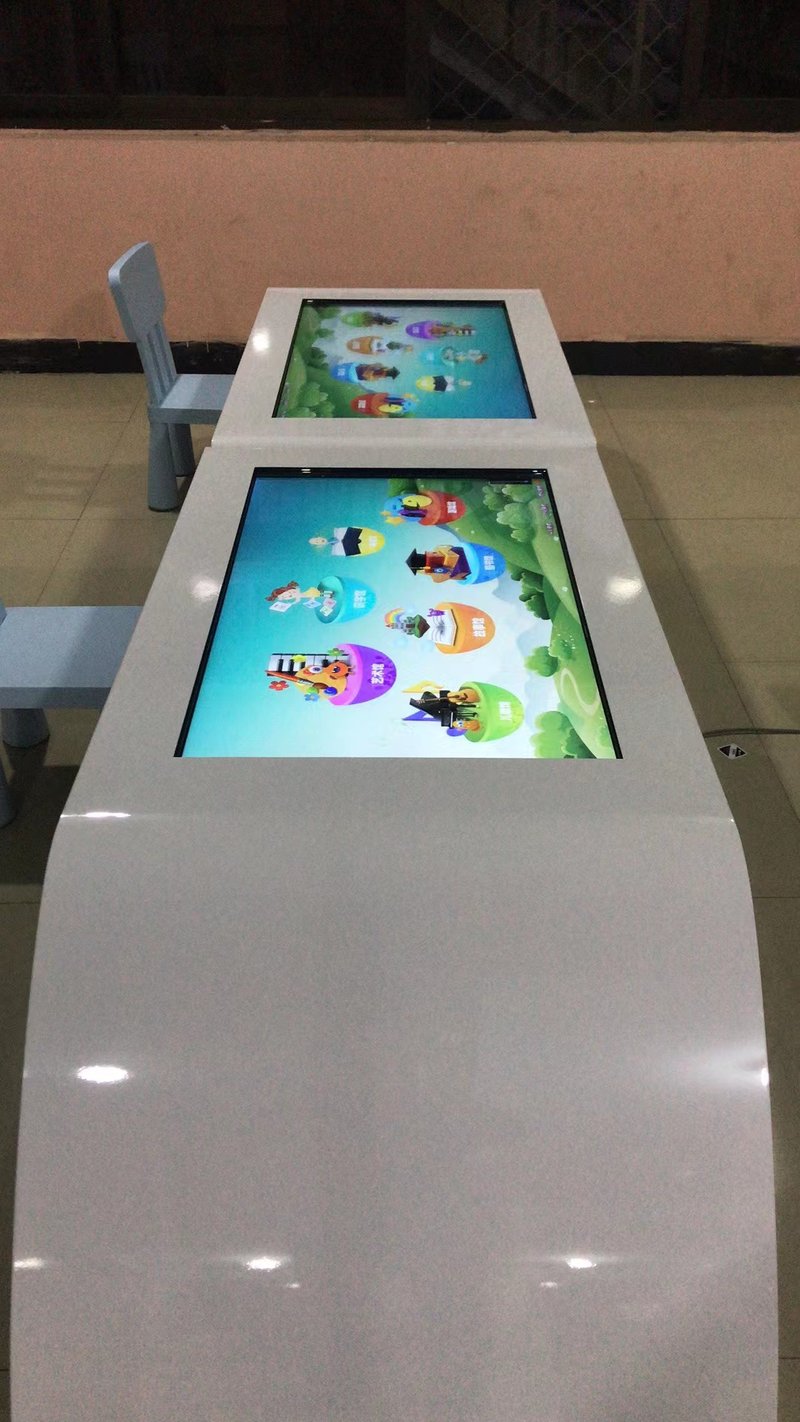
Deploying a commercial-grade Childrens Touch Table Maintenance provides interactive venues with an advanced digital display platform. Kids touch tables are widely utilized in kindergartens, children’s activity centers, educational and training facilities, family homes, and parent-child entertainment spaces. To ensure child safety while maintaining optimal display and touch performance, it is vital to focus on the operating environment, structural stability, electrical connections, screen cleaning, and system maintenance throughout both installation and daily use.
1. Installation Precautions for Kids Touch Tables with a Childrens Touch Table Maintenance
Selecting an Appropriate Placement Environment
Kids touch tables should be placed in dry, well-ventilated areas with flat, even flooring. Avoid prolonged exposure to direct sunlight and keep the unit away from heaters, radiators, or other high-temperature heat sources.
Adequate clearance should be reserved around the device for ventilation and servicing. Avoid placing the table flush against walls or blocking vents with other objects. Always refer to the product manual for specific cooling clearances and installation spacing.
Additionally, remove sharp objects, loose cables, and other tripping or collision hazards from the surrounding area. In areas where children play actively, ensure the table is placed securely to prevent tipping caused by pushing, leaning, or accidental bumping.
Ensuring Stable and Secure Equipment Installation
Home-use touch tables should be situated on stable, load-bearing floors, with table legs and support structures thoroughly inspected for firmness.
In public environments such as kindergartens and daycare centers, evaluate whether additional anchoring is required based on the unit’s dimensions, weight, and actual foot traffic. If floor brackets or anti-tip mechanisms need to be installed, strictly follow the product design and installation guidelines; do not drill holes or modify the chassis arbitrarily.
For mobile or caster-equipped models, re-verify overall stability whenever the table is relocated, and prevent children from moving heavy units unattended.
Connecting Power Properly
Always use the original power adapter supplied with the product or one certified by the manufacturer. Connect the device to electrical outlets compliant with local electrical safety regulations, ensuring grounded equipment is properly earthed.
Route power cords thoughtfully to prevent tangling, foot traffic wear, pinching beneath furniture, or crossing main child walkways. Plan cable length and pathway according to the installation location to avoid strain on connectors.
Once powered on, verify that the display, touch functionality, and built-in applications operate smoothly. If loose plugs, damaged cables, or abnormal overheating are detected, disconnect power immediately and inspect the system.
2. Daily Maintenance Guidelines for Kids Touch Tables
Proper Cleaning of the Tabletop and Touchscreen
Given frequent use by children, the tabletop and screen easily accumulate fingerprints, dust, and stains. Prior to cleaning, power off the unit according to instructions, and gently wipe the screen and surface using a soft, lint-free cloth.
If cleaning agents are needed, choose products recommended by the manufacturer and specifically formulated for the screen material. Never spray liquids directly onto the display, and refrain from using alcohol, acetone, or harsh solvents indiscriminately, as different glass, plastics, and optical coatings vary in chemical resistance.
Furthermore, prevent children or operators from tapping, scratching, or pressing heavily on the touch surface with hard objects to avoid damaging touch sensors and display components.
Regular Inspections of Power, Interfaces, and Ventilation
Establish a periodic maintenance schedule tailored to usage frequency, focusing on the following checkpoints:
– Inspect power cords, plugs, and external ports for fraying, looseness, or physical damage.
– Test touch responsiveness and verify clear, uniform display output.
– Ensure cooling vents and fans remain unblocked by dust, fluff, or debris.
– Monitor the unit for excessive heat, unusual noises, or unexpected reboots.
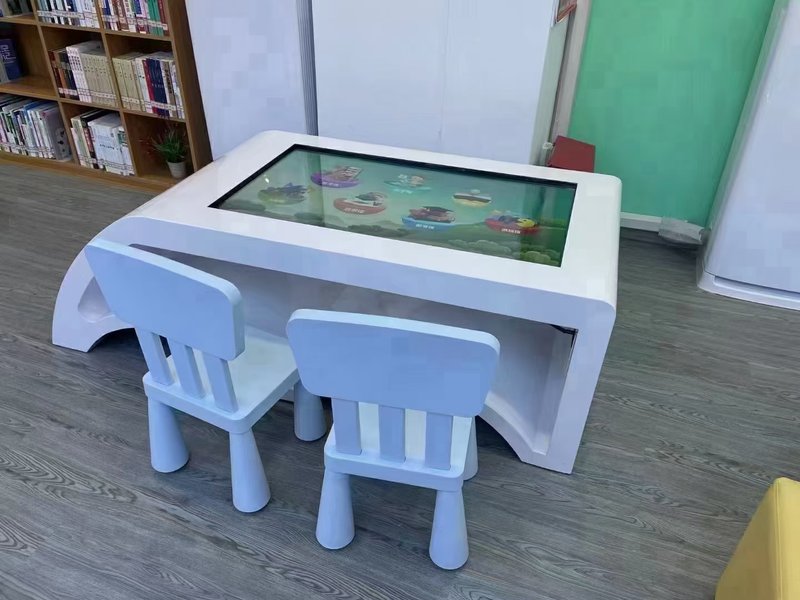
– Check the structural integrity of legs, brackets, and fasteners to guarantee stability.
If the system provides a touch calibration tool, perform calibration as directed when needed. If touch anomalies persist, consult certified technical support for diagnosis.
Timely System and Educational Content Updates
For kids touch tables supporting network connectivity or local updates, update operating systems, interactive software, and educational curricula periodically. This maintains software compatibility and enriches children’s learning experiences.
Verify software compatibility before initiating updates, and follow manufacturer-guided procedures. When updating via external storage devices, utilize verified source files to prevent installing unauthorized or corrupt software.
If system performance slows over time, manage storage by clearing cached data and obsolete files. Back up critical data before performing deletions or factory resets.
Troubleshooting Common Issues
If the touch table experiences touch lag, software freezing, or display glitches, perform basic troubleshooting steps:
– Verify that the screen surface is clean, free of moisture, residues, or foreign objects affecting capacitance/infrared sensing.
– Check power connections and system operational status.
– Attempt a clean system reboot in accordance with user manual instructions.
– Check whether relevant applications require updates or if background conflicts exist.
If these measures fail to resolve the issue, or if liquid ingress, burning odors, or electrical faults occur, disconnect power immediately and contact authorized after-sales service. Never disassemble the enclosure or touch live internal components, avoiding safety hazards and warranty voiding.
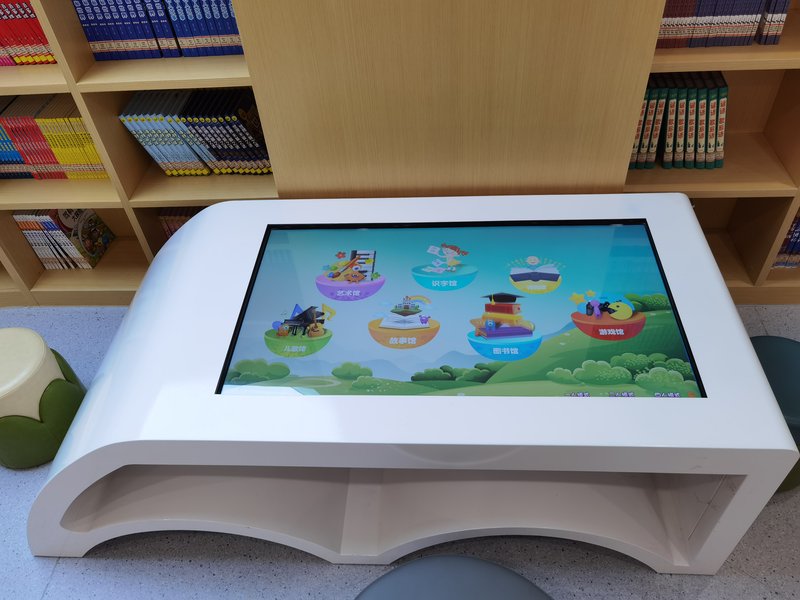
3. Enhanced Safety Considerations in Child Environments
Unlike standard office hardware, kids touch tables are subject to frequent physical interaction by children. Therefore, continuous attention must be paid to the operational environment:
– Position power cables, outlets, and switches out of children’s easy reach.
– Regularly inspect rounded table corners, edge bumpers, and structural joints to minimize impact or pinch risks.
– Maintain clear walkways around the table to prevent running children from colliding with the unit.
– Provide appropriate adult supervision tailored to children’s age groups and facility management protocols.
– If cracked glass, structural looseness, or any potential hazard is observed, take the table out of service immediately until professionally inspected and cleared.
4. Installation and Maintenance Recommendations for ZXTLCD Kids Touch Tables
ZXTLCD kids touch tables can be custom-configured to suit diverse environments, including private homes, kindergartens, early learning centers, and interactive children’s museums. Because specifications—such as screen size, chassis structure, panel materials, cooling architecture, and power requirements—vary across models, installation and maintenance must adhere to the specific product documentation.
Before putting the table into daily service, complete comprehensive checks on ambient placement, structural stability, electrical connections, and touch calibration. Once deployed, establish routine cleaning, scheduled physical inspections, and regular software maintenance aligned with usage intensity.
By enforcing standardized installation, gentle cleaning, proactive maintenance, and strict child safety practices, operators can ensure kids touch tables deliver long-term reliability and a safe, engaging interactive experience for young learners. In conclusion, adopting a professional Childrens Touch Table Maintenance enhances presentation capabilities, engages multi-user audiences, and drives digital transformation.
Looking for customized Childrens Touch Table Maintenance hardware, multi-touch interactive tables, or OEM/ODM commercial display solutions? Feel free to contact the ZXTLCD engineering team for free consultations, product demos, and tailored technical specifications.