
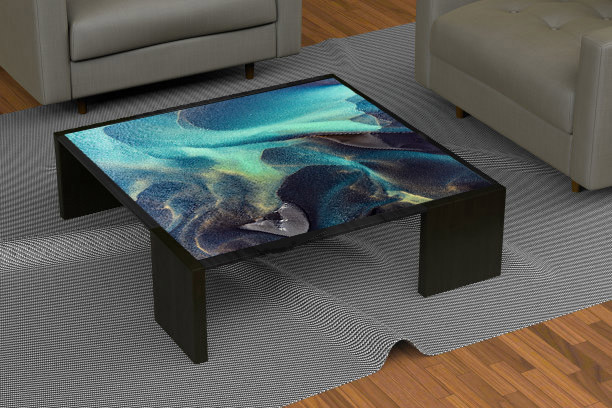
An multi touch table combines display, touch and tabletop space so several users can view, choose and discuss the same content. It is not simply a vertical screen turned sideways: operating direction, reach, table height and the multi-user interface directly shape the experience.
In classrooms, a shared table supports map annotation, word matching, science classification and group discussion. A teacher can launch tasks and review results while students work around one display, encouraging discussion more naturally than taking turns on individual tablets.
Multi Touch Table: Support Group Learning and Teacher-Led Tasks
Classrooms, training and children learning need shared interaction, content levels, quick reset and teacher control rather than simply enlarging ordinary slides.
On the multi touch table, in classrooms, a shared table supports map annotation, word matching, science classification and group discussion. A teacher can launch tasks and review results while students work around one display, encouraging discussion more naturally than taking turns on individual tablets.
Guide Product Choice in Retail
Virtual shelves, comparison and ordering paths must match real products, prices and inventory; visual attraction cannot replace product availability.
On the multi touch table, in retail, the table can compare colours, specifications, combinations and use effects. Customers touch the options that interest them and view related products or inventory, giving sales staff a clear path for further explanation.
Present Layered Stories in Museums
Maps, artifacts, timelines and multilingual content suit shared exploration, but narrative, return controls and accessible reading must remain clear instead of becoming information overload.
Museums and cultural venues can present maps, timelines, relationships and high-resolution images. Several visitors enter from different sides while the main view retains a clear theme and deeper material opens progressively.
Connect Meetings with Files and Accounts
Annotation, split-screen, casting and file sharing must work with enterprise networks, permissions and meeting platforms; tabletop hardware alone cannot solve collaboration.
Meeting use can present documents, charts, video and annotation. Windows connects readily with enterprise software and peripherals, while Android suits fixed meeting applications; sign-out and file clearing can be built into the end-of-session reset.
Combine Durability with Fast Reset
Games, ordering and waiting interaction face spills, frequent cleaning and fast turnover, making construction, interface reset and service access more important than feature count.
Hospitality and entertainment settings emphasize quick start, a durable surface and fast reset. Touch ordering, light games or waiting content can match the venue, while the table retains space for drinks and staff service.
Build One Primary Use Before Adding Options
Buyers should define the primary user, software and outcome, validate a sample and add functions later instead of forcing one table to cover every scenario poorly.
One hardware platform can support different uses, but each project should emphasize one primary task. Building that flow first and then adding wireless charging, NFC, object recognition or linked displays keeps the interface clear and controls configuration cost.
A Product Configuration Ready for Project Delivery
The multi touch table can use Android or Windows according to software load and combine the required screen size, touch method, table form, interfaces and optional modules. ZXTLCD can install customer content on a sample and confirm operating direction, picture quality and structural details before volume production.
From the first day of use, a clear start page, stable touch, concealed cables and accessible service construction are part of the product value. The unit should attract users during its first presentation and retain the same experience through repeated operation, content changes and routine cleaning.
Different applications can run on the same table platform through replaceable home screens and content packages. A school can open with lessons, a shop with product groups, a museum with themed navigation and a meeting room with files and collaboration tools. Stable hardware with site-specific interfaces gives chain stores, classrooms or exhibition zones one consistent equipment form while preserving their own content. Multi-user positions around the surface also let a presenter remain within the same viewing area instead of standing in front of and blocking the display.