
Deploying a commercial-grade Commercial Smart Touch Table Features provides interactive venues with an advanced digital display platform. By integrating touch interaction, multimedia display, and specialized application software, smart touch tables enable dynamic information browsing, content presentation, interactive operations, and collaborative control. Depending on specific hardware configurations and project requirements, they can also expand into identity recognition, user permission management, and smart device interconnection, delivering flexible interactive solutions for education, business offices, exhibition halls, and intelligent spaces.
Commercial Smart Touch Table Features: 1. Intuitive Touch Interaction: Simplifying Operations
Touch interaction is the foundational core of smart touch tables. Users can browse multimedia content, switch pages, and manage applications through natural finger gestures such as tapping, swiping, and long-pressing. For devices supporting advanced capabilities, users can also utilize multi-touch gestures, pinch-to-zoom for images, and interactive object dragging.
Certain models also support compatible styluses, facilitating smooth digital handwriting, sketching, annotation, and on-screen document editing.
This intuitive operation minimizes operational complexity and invites users to engage spontaneously. Specific touch precision, touch point counts, and stylus compatibility depend on the actual hardware model and configuration.
2. Rich Multimedia Presentation: Bringing Content to Life
Through accompanying software, smart touch tables can showcase pictures, high-definition videos, audio, dynamic animations, documents, and other digital assets, consolidating diverse information types into a unified, interactive interface.
In business meetings, participants can review slide presentations, examine data reports, and collaborate on shared projects. In educational environments, instructors can display educational imagery, instructional videos, and interactive courseware, helping students grasp complex concepts visually.
In exhibition showrooms and commercial spaces, smart touch tables serve as interactive kiosks for product demonstrations, self-service information inquiries, digital floor map navigation, and immersive multimedia exhibits.
Thoughtful planning of content hierarchy and interactive workflows ensures crystal-clear information delivery while encouraging visitors to actively explore digital content.
3. Intelligent Recognition and Permission Management: Personalized User Experiences
Depending on project requirements, smart touch tables can integrate QR code scanning, identity verification, RFID/NFC tag recognition, or object recognition technologies to deliver personalized interactive experiences.
For example, in museum and gallery exhibits, visitors can scan physical markers or badges to unlock detailed product background and multimedia stories. In environments requiring access control, administrators can leverage backend software to set tiered user permissions, safeguarding confidential files while tailoring visible content.
Please note that identity recognition, personalized recommendations, and tiered access control are not standard on all base models. These capabilities typically require additional hardware sensors, custom software development, or dedicated backend management systems tailored to project needs.
4. Smart Device Interconnection: Expanding Functional Boundaries
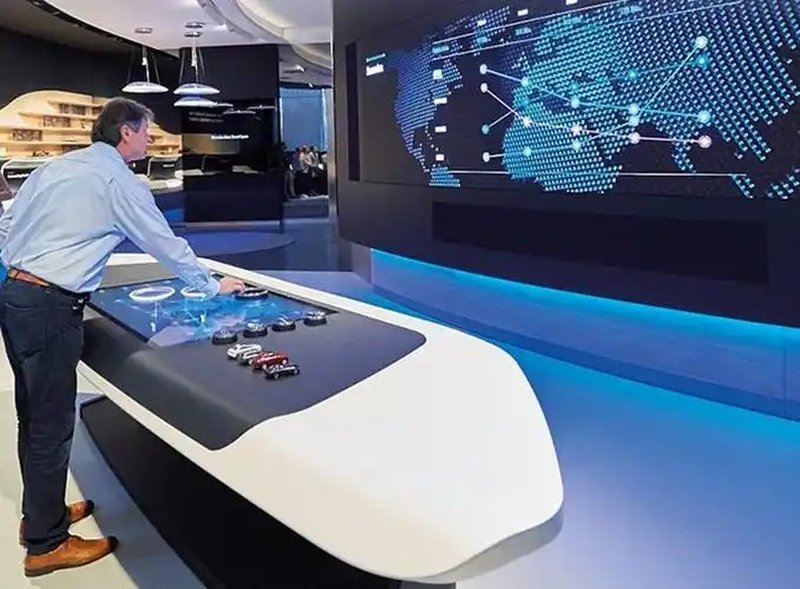
When supported by compatible interfaces, communication protocols, and central control systems, smart touch tables can seamlessly interface with external smart devices and business management systems, enabling cross-device data sharing and integrated control.
In smart offices and intelligent exhibition halls, a properly integrated touch table can control ambient lighting, electric curtains, and HVAC systems directly from its touch interface. In conference rooms, it can link with video conferencing platforms, laptops, and large external display walls for fluid presentation and collaboration.
While device integration substantially broadens the touch table’s utility, the exact equipment controllable, operational methods, and functional scope are governed by hardware interfaces, software ecosystems, and project-specific integration designs.
5. ZXTLCD Smart Touch Table Functional Configurations
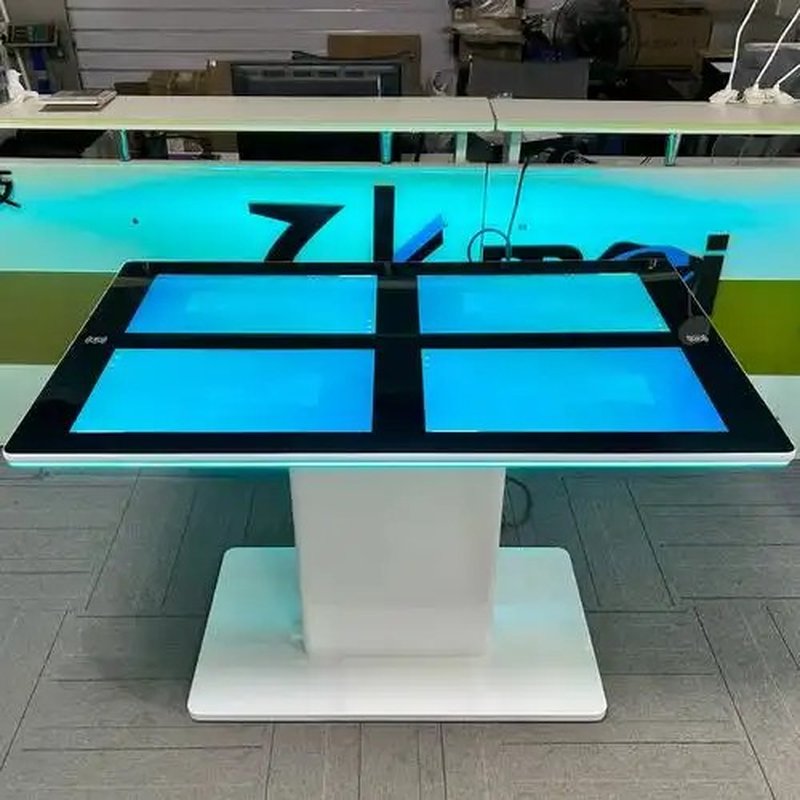
ZXTLCD smart touch tables can be customized to match diverse operating environments and interactive requirements, making them ideal for education and training, corporate collaboration, exhibition showrooms, commercial retail, and public information inquiry centers.
When planning product configurations, consider the following key aspects:
Touch Capabilities: Select the appropriate touch technology (infrared or PCAP) and interactive software suited to user requirements.
Multimedia Display Capabilities: Configure presentation modules for high-res images, 4K video playback, interactive documents, and digital media.
Recognition and Access Control: Evaluate the necessity of user authentication, object recognition, or access permission control.
External Connectivity: Verify compatibility across hardware ports, network protocols, and central management systems.
Software Customization: Tailor UI/UX layouts, presentation flows, and industry-specific business applications.
Actual features depend on specific hardware models and software configurations. Clarifying operational scenarios beforehand avoids unnecessary system complexity and ensures optimal return on investment.
6. Conclusion
The intelligent capabilities of smart touch tables are primarily manifested in four key dimensions: intuitive touch interaction, dynamic multimedia presentation, configurable recognition and access management, and collaborative interconnection with compatible external devices.
Different application scenarios emphasize different smart functions: education prioritizes interactive learning and gamification; business settings focus on seamless document presentation and teamwork; while showrooms and retail spaces prioritize intuitive self-service exploration and customer engagement.
ZXTLCD delivers professional smart touch table solutions tailored to project demands, harmonizing robust hardware with agile software to meet the highest standards of digital display and human-computer interaction. In conclusion, adopting a professional Commercial Smart Touch Table Features enhances presentation capabilities, engages multi-user audiences, and drives digital transformation.
Looking for customized Commercial Smart Touch Table Features hardware, multi-touch interactive tables, or OEM/ODM commercial display solutions? Feel free to contact the ZXTLCD engineering team for free consultations, product demos, and tailored technical specifications.