
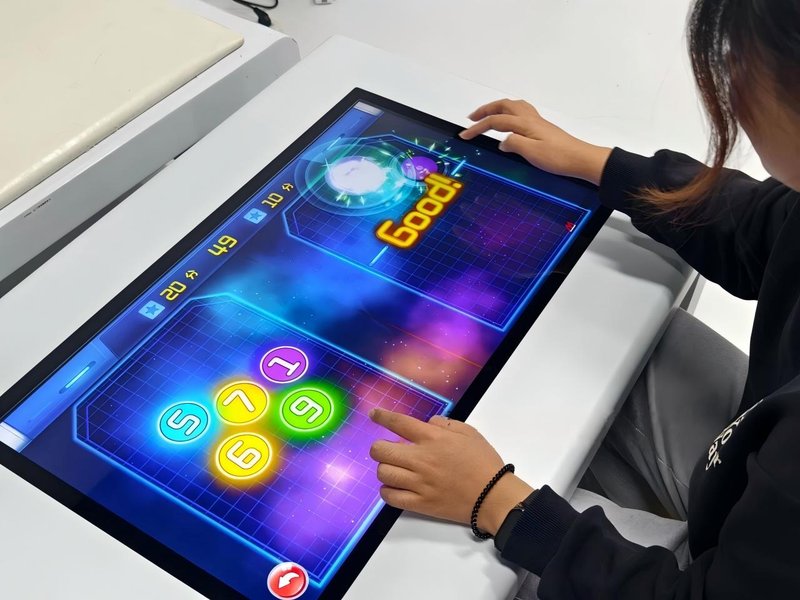
Deploying a commercial-grade Smart Touch Table vs Regular Table provides interactive venues with an advanced digital display platform. The fundamental differences between a smart touch table and a regular table lie in their core functionality, structural engineering, interaction modalities, and target application scenarios. Traditional tables primarily serve physical functions—such as holding objects, writing, dining, and daily tasks. In contrast, smart touch tables seamlessly integrate high-definition displays, multi-touch sensor systems, and interactive software into the furniture architecture, transforming a physical surface into a collaborative digital platform for multimedia presentation, information retrieval, and human-computer interaction across education, corporate meetings, exhibitions, and leisure entertainment.
Smart Touch Table vs Regular Table: 1. Functional Differences: From Physical Utility to Digital Interactive Platforms
The primary purpose of a conventional table is to provide a stable, level surface for working, studying, or dining, devoid of electronic displays or digital computing capabilities.
A smart touch table, by contrast, displays electronic documents, multimedia images, high-definition videos, and customized software applications directly on the tabletop surface. Users interact directly via multi-touch gestures—including tapping, swiping, pinching, zooming, and content selection.
In business meetings, smart touch tables facilitate interactive presentations, data visualization, and team ideation. In educational settings, they power interactive courseware, collaborative drawing, and gamified learning. In exhibition showrooms, they serve as digital product catalogs, interactive sandboxes, and self-service inquiry terminals. Consequently, a smart touch table acts not merely as furniture, but as an advanced digital communication terminal.
2. Structural & Design Differences: Merging Furniture Ergonomics with Display Technology
Traditional table design emphasizes structural load-bearing capacity, stability, ergonomic comfort, and surface durability. Desktop materials commonly include solid wood, laminate, metal, stone, or tempered glass, chosen based on aesthetic and utilitarian needs.
Smart touch table engineering must satisfy ergonomic and aesthetic standards while harmoniously integrating industrial display panels, touch sensor arrays, internal PC controllers, thermal cooling ducts, and organized cable management.
Many professional models utilize full-surface toughened glass overlays with optical bonding, creating a sleek, technologically sophisticated profile. Beyond exterior aesthetics, evaluating smart touch tables requires assessing screen diagonal size, resolution, color accuracy, structural rigidity, efficient heat dissipation, and accessibility for long-term technical maintenance.
3. Interaction Differences: Direct Intuitive Multi-Touch vs. Traditional Desk Usage
Regular tables possess no inherent computing capability; users must rely on paper, notebooks, laptops, mice, and keyboards to manage digital information.
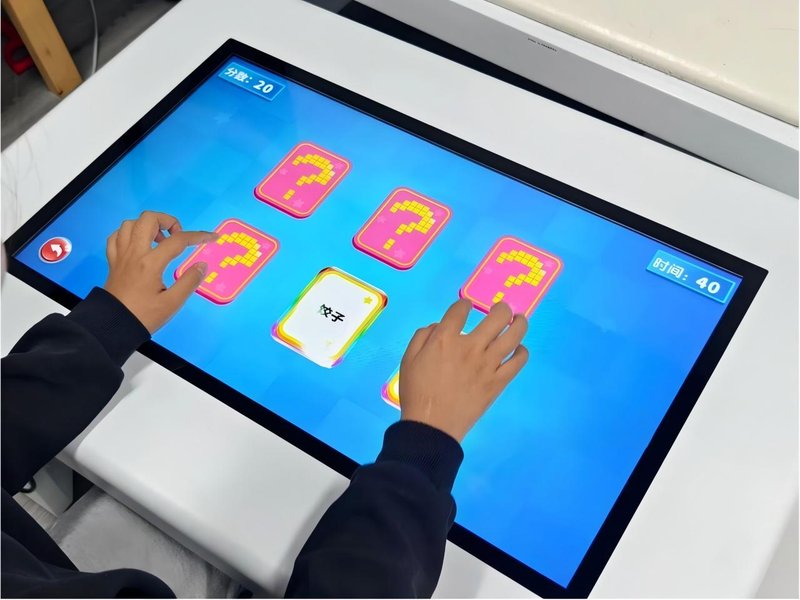
Smart touch tables allow users to interact directly on the display surface. By tapping, dragging, rotating, and swiping, users navigate content, switch media streams, and control applications effortlessly. Advanced multi-touch configurations support multi-user collaboration, allowing several participants to manipulate distinct digital assets simultaneously.
This direct-manipulation interface shortens operational workflows and makes digital interaction intuitive and immersive. Real-world touch responsiveness, simultaneous touch points, and stylus compatibility depend on the selected hardware sensor matrix and operating system drivers.
4. Connectivity & Integration: From Standalone Furniture to Collaborative Ecosystems
Conventional tables operate as completely passive, isolated pieces of furniture with no digital connectivity.
Smart touch tables can interface seamlessly with external laptops, secondary displays, commercial audio systems, and local area networks. They enable screen mirroring, video conferencing, centralized content broadcasting, and multi-screen synchronization.
In specialized corporate or museum projects, smart touch tables can integrate into centralized IoT building control systems or enterprise ERP/CMS platforms for remote content scheduling and operational diagnostics. Such capabilities require appropriate hardware interfaces, network protocols, and software compatibility.
5. Application Scenarios: Where Each Table Excels
Traditional tables remain indispensable across universal everyday scenarios: personal desks, dining rooms, library reading areas, and storage utility. Smart touch tables shine in environments that demand engaging digital presentation and interactive collaboration:
– Education & Training: Delivering interactive lessons, cognitive skill training, and collaborative student group exercises.
– Corporate Boardrooms: Hosting paperless meetings, reviewing architectural blueprints, and analyzing complex business data.
– Showrooms & Museums: Providing interactive floor maps, digital twin models, historical archives, and product demonstrators.
– Commercial Entertainment: Running multiplayer party games and digital menus in family entertainment centers, upscale lounges, and restaurants.
– Public Service Hubs: Serving as interactive wayfinding directories and civic information terminals in airports, lobbies, and convention centers.
While standard tables fulfill basic physical support needs, smart touch tables unlock substantial value wherever engagement, digital transformation, and collaborative communication are paramount.
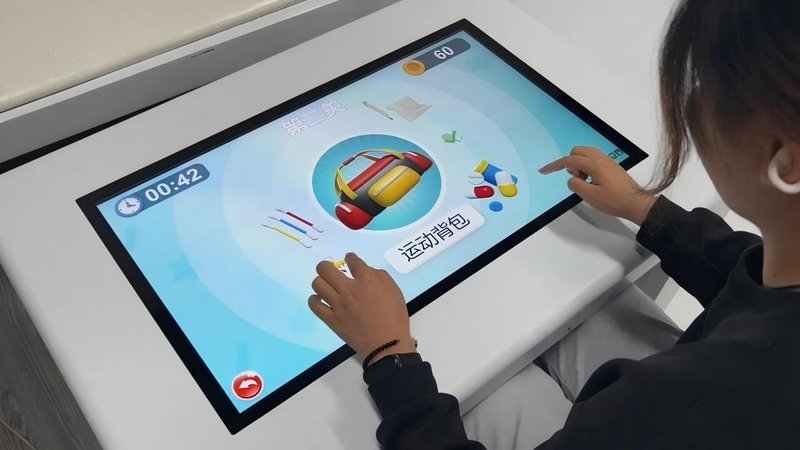
6. ZXTLCD Smart Touch Table Solution Criteria
ZXTLCD designs and manufactures smart touch tables tailored to diverse commercial environments and functional specifications. When planning a deployment, key selection considerations include:
– Display & Touch Specifications: Selecting the optimal display size, resolution (1080p or 4K), brightness, and multi-touch technology based on viewer ergonomics and simultaneous user capacity.
– Software Ecosystem: Aligning the software platform—whether Android, Windows, or custom Linux—with targeted educational, corporate, exhibition, or recreational applications.
– Chassis Engineering: Harmonizing aesthetic design with commercial durability, concealed cable management, structural stability, and efficient ventilation.
– Device Interoperability: Ensuring adequate HDMI/USB/LAN/Wi-Fi interfaces to support peripherals, external laptops, and sound systems.
– Lifecycle Maintenance: Planning for high-traffic screen protection, ease of surface sanitization, remote firmware updates, and modular hardware servicing.
By tailoring hardware, software, and industrial design to specific operational demands, smart touch tables deliver maximum impact and return on investment.
7. Summary
The core distinction between a smart touch table and a regular table centers on the integration of digital display hardware, multi-touch interaction, and smart software ecosystems. Traditional tables focus on physical load-bearing utility, whereas smart touch tables transform ordinary desktop space into an intelligent information hub and interactive experience platform.
For everyday dining, reading, or desk work, standard tables remain the practical choice. However, when environments require multimedia presentation, collaborative decision-making, interactive pedagogy, or engaging digital experiences, smart touch tables provide unmatched capabilities.
ZXTLCD delivers tailored smart touch table solutions, helping organizations balance furniture aesthetics, display clarity, and interactive performance to create compelling digital spaces. In conclusion, adopting a professional Smart Touch Table vs Regular Table enhances presentation capabilities, engages multi-user audiences, and drives digital transformation.
Looking for customized Smart Touch Table vs Regular Table hardware, multi-touch interactive tables, or OEM/ODM commercial display solutions? Feel free to contact the ZXTLCD engineering team for free consultations, product demos, and tailored technical specifications.