
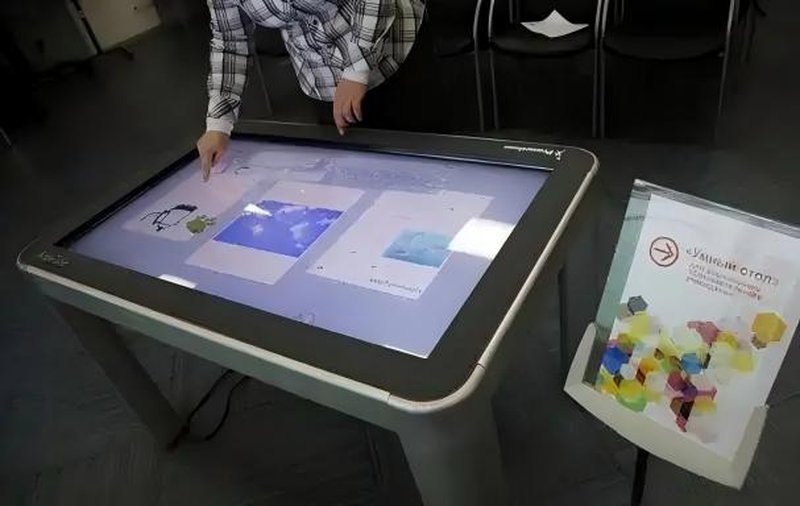
Deploying a commercial-grade Smart Touch Table Interactive Features provides interactive venues with an advanced digital display platform. Smart touch tables integrate interactive display technology with dedicated application software to deliver information browsing, digital content presentation, collaborative manipulation, and rich multimedia playback. Depending on system configuration and deployment specifications, advanced models can also incorporate voice interaction, touchless gesture recognition, and interoperability with external smart devices—delivering intuitive interactive experiences across education, corporate offices, exhibition halls, and commercial venues.
Smart Touch Table Interactive Features: 1. Touchscreen Interaction: Intuitive and Streamlined Operation
Touchscreen interaction represents the core foundation of smart touch tables. Users navigate information, select items, and control digital applications using familiar natural gestures such as tapping, swiping, scrolling, rotating, and pinch-to-zoom.
In educational settings, students leverage interactive touch apps for collaborative drawing, handwriting practice, and problem-solving exercises, while educators present multimedia lessons and orchestrate live quizzes. In commercial showrooms and museum exhibits, visitors self-navigate through high-resolution product specs, 3D models, video galleries, and interactive catalogs. Direct touch interaction eliminates technical hurdles, allowing users to engage immediately.
2. Voice Interaction: Expanding Hands-Free Control Modalities
When configured with sensitive microphone arrays, acoustic noise-cancellation processors, and speech recognition engines, smart touch tables support voice-controlled interaction. Users can issue spoken commands to conduct information searches, launch targeted applications, or control audio-visual playback.
In boardrooms, executive briefing centers, and smart home environments, voice interaction serves as a valuable hands-free complement to physical touch inputs, offering flexible operational convenience. However, voice control is an optional configuration; its recognition precision and command breadth are influenced by ambient acoustic noise, software algorithms, and microphone hardware.
3. Smart Device Interconnection: Linking Ecosystem Applications
Leveraging standard communication interfaces, local networks, and software APIs, smart touch tables can interconnect with external hardware and centralized control systems to achieve seamless data sharing and coordinated operations.
In automated smart environments, an integrated touch interface can control compatible room lighting, motorized projection screens, motorized blinds, or environmental controls. In conference rooms and executive meeting spaces, tables interface with laptops, wall-mounted display screens, or projection systems for real-time presentation broadcasting and collaborative screen mirroring. The functional scope of hardware integration depends on physical I/O ports, communication protocols (TCP/IP, RS232, MQTT), and software middleware compatibility.
4. Touchless Gesture Recognition: Enhancing Interactive Novelty
Equipped with specialized depth cameras, optical tracking sensors, or infrared arrays, select smart touch tables support touchless air-gesture recognition. Users can execute predefined hand motions—such as air-swiping to turn pages, waving to advance slides, or hovering to trigger animations.
Air-gesture controls introduce a captivating layer of novelty, making them particularly attractive in high-traffic exhibition booths, digital art installations, and futuristic promotional spaces. Because gesture sets and tracking sensitivity depend heavily on optical sensors and lighting conditions, they are tailored to specific installation criteria.
5. ZXTLCD Smart Touch Table Applications and Configuration Strategy
ZXTLCD smart touch tables offer customizable hardware architecture and software ecosystems to address unique operational requirements across schools, corporate boardrooms, exhibition centers, retail stores, and public service lobbies.
When tailoring a deployment solution, key configuration considerations include:
– Multi-Touch Capability: Specifying responsive capacitive (PCAP) or infrared (IR) touch systems with 10 to 40+ simultaneous touch points.
– Multimedia Architecture: Integrating robust processors and graphic drivers to ensure flawless rendering of 4K video, 3D renderings, and interactive databases.
– Multi-Modal Inputs: Assessing optional hardware add-ons such as integrated microphone arrays, optical gesture sensors, or RFID/NFC readers.
– Peripheral Connectivity: Verifying interface provisions (HDMI, USB, RJ45, Wi-Fi, Bluetooth) for external AV systems and control processors.
– Customized UI/UX Software: Designing bespoke interactive menus, branded interfaces, wayfinding layouts, and curated software suites.
Functional configurations vary across product series and bespoke projects; exact features correspond to the final project engineering specification.
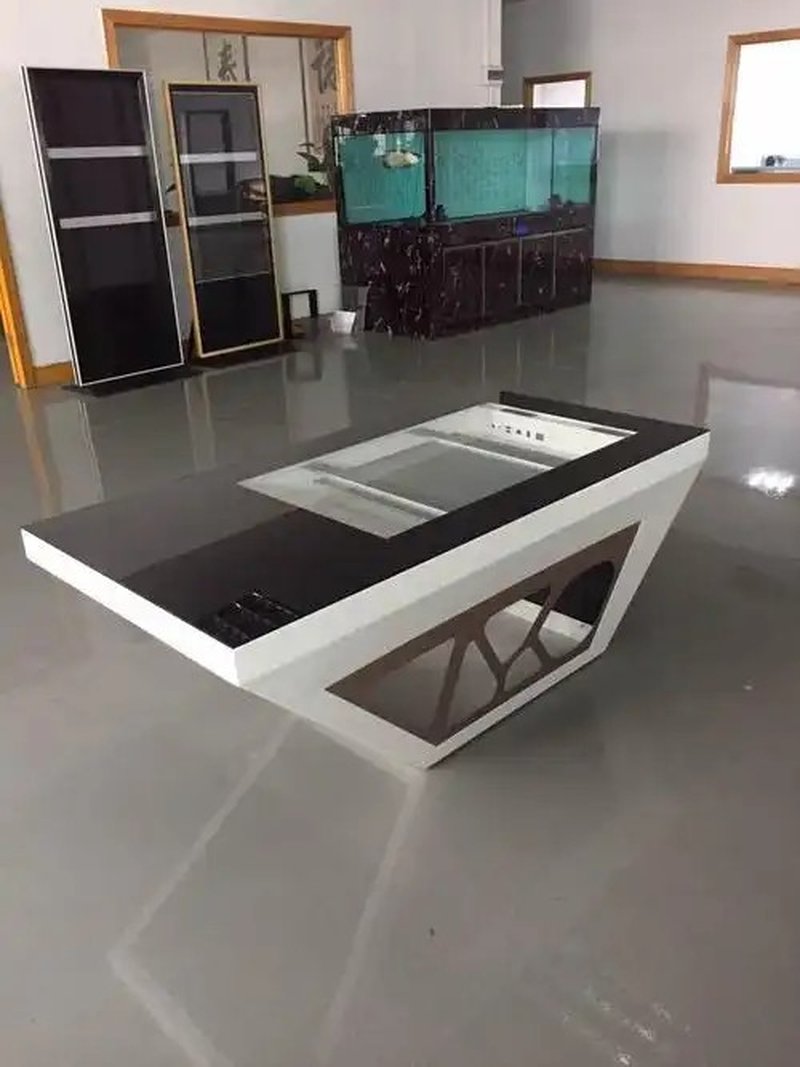
6. Summary
The primary intelligent capabilities of smart touch tables encompass multi-touch control, dynamic multimedia browsing, and optional multi-modal features including voice assistance, air gestures, and smart device interconnection.
In real-world deployment, maximizing value does not require overloading the hardware with extraneous features. Aligning interaction modalities with user journeys, maintaining intuitive UI workflows, and ensuring robust device interoperability empowers organizations to unlock the full potential of smart touch tables for information display, human-machine interaction, and collaborative workflows.
ZXTLCD provides tailored smart touch table solutions to empower diverse commercial, civic, and educational venues with intuitive, flexible digital interaction platforms. In conclusion, adopting a professional Smart Touch Table Interactive Features enhances presentation capabilities, engages multi-user audiences, and drives digital transformation.
Looking for customized Smart Touch Table Interactive Features hardware, multi-touch interactive tables, or OEM/ODM commercial display solutions? Feel free to contact the ZXTLCD engineering team for free consultations, product demos, and tailored technical specifications.