
What Can a Kids Touch Table Do? Exploring New Dimensions of Children’s Education and Interactive Learning with a Children Touch Table Educational Features
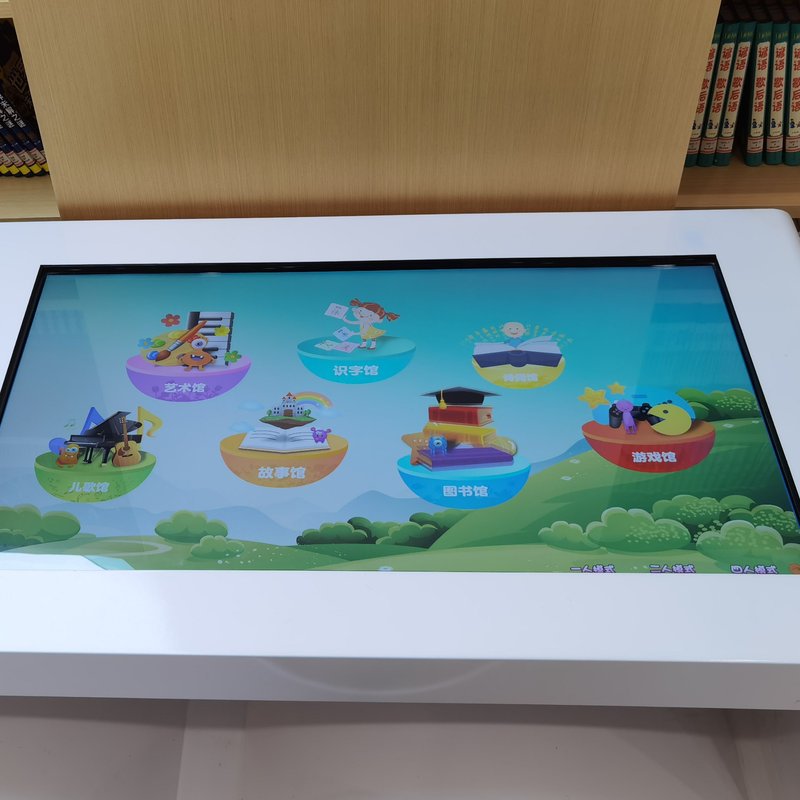
Deploying a commercial-grade Children Touch Table Educational Features provides interactive venues with an advanced digital display platform. Kids touch tables combine picture book reading, educational games, and digital learning. Through intuitive touch interactions, they create more vivid, engaging learning experiences for children. Depending on hardware touch specifications and software configurations, many models support simultaneous multi-child participation, empowering children to absorb knowledge, sharpen observation skills, and foster collaboration during reading, gaming, and group activities.
By merging rich multimedia content with hands-on touch manipulation, kids touch tables transform abstract concepts into intuitive visual experiences, making them ideal for kindergartens, primary schools, libraries, children’s activity centers, and family education.
1. Core Functions and Operation Modes of Kids Touch Tables
A kids touch table typically integrates a high-definition display, an embedded computing unit, a multi-touch sensing system, and dedicated educational software. Depending on product configurations, it delivers picture book reading, brain games, language learning, and digital classroom instruction.
Interactive Picture Book Reading
The system presents picture books through dynamic graphics, clear text, animations, and synchronized audio. When children touch specific areas on the screen, the software responds by turning pages, triggering voice narration, or unveiling animated storytelling elements.
This interactive format enriches traditional reading, engaging both visual and auditory senses, and cultivating a genuine love for reading through active involvement.
Brain and Educational Interactive Games
Kids touch tables run a diverse library of brain-training games, including shape matching, memory card flips, jigsaw puzzles, spot-the-difference challenges, and fundamental logic tasks.
Children touch, drag, and select on-screen elements to accomplish goals, exercising visual observation, memory retention, reflexes, and basic problem-solving skills in a fun environment. The available game types correspond to the installed software suite.
Collaborative Multi-User Learning
Equipped with responsive multi-touch technology, the table enables several children to interact at the screen at the same time, according to touch point specifications and software support.
During small-group activities, children collaborate on puzzles, categorization games, trivia quizzes, or interactive quests, significantly boosting teamwork and peer communication. The number of concurrent users depends on hardware touch points and application UI design.
Bilingual Language Learning (Chinese and English)
For units configured with bilingual educational content, children interact with vocabulary, phonetics, and dialogue through illustrations, words, audio pronunciation, and interactive quizzes.
For example, during vocabulary practice, the screen displays objects alongside words, prompting children to touch the correct match or listen to standard native pronunciation. This intuitive interaction is well-suited for early childhood language enlightenment, vocabulary building, and lively classroom instruction.
Advanced features such as voice recognition and automated pronunciation assessment require dedicated software support and vary by model.
2. Key Application Scenarios for Kids Touch Tables
Kindergarten and Primary School Classrooms
Teachers can select thematic picture books, shape and color recognition, early mathematics, bilingual language lessons, or interactive quiz modules aligned with their curriculum. Through small-group activities and classroom games, educators diversify teaching methodologies and help pupils grasp concepts intuitively.
Libraries and Reading Rooms
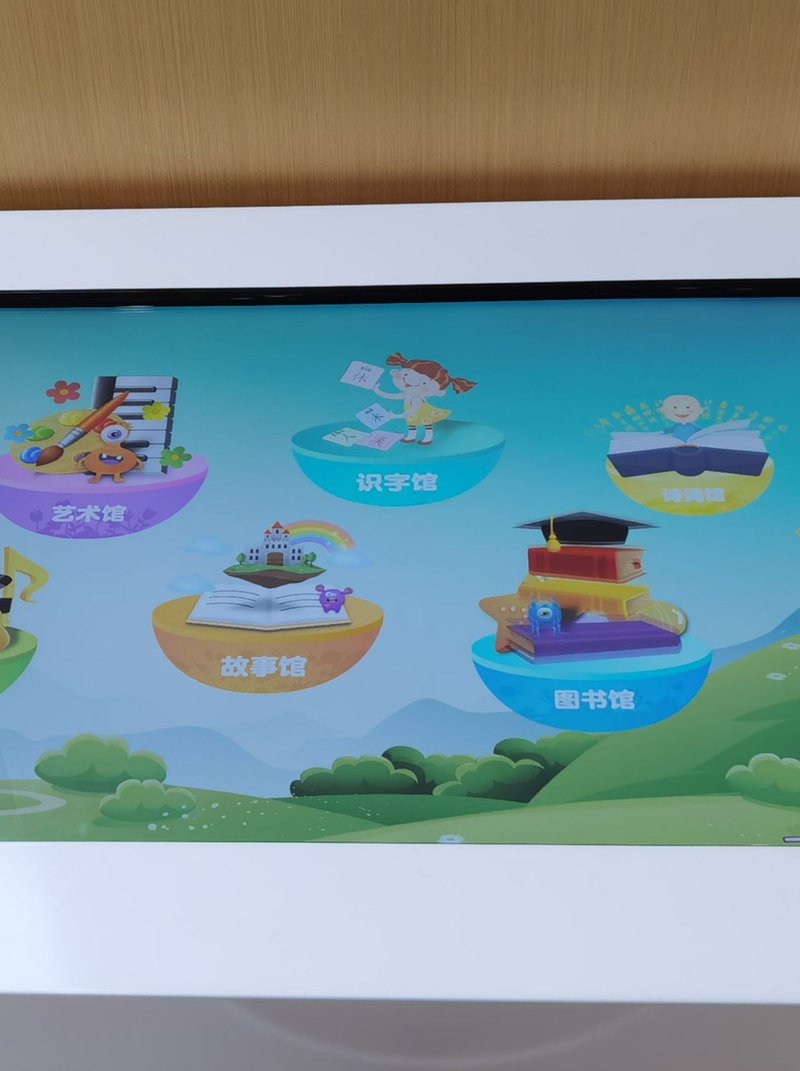
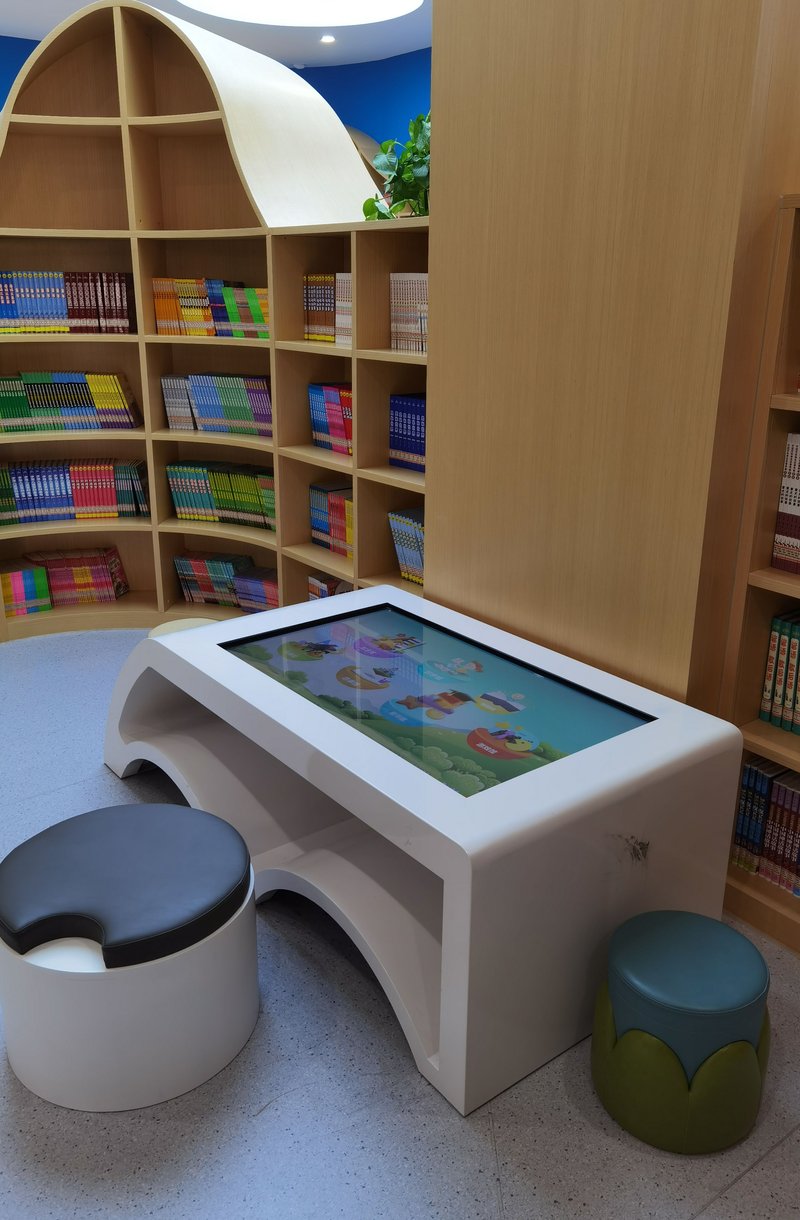
Installing kids touch tables in children’s reading sections infuses traditional reading areas with digital picture books and interactive storytelling. Young readers touch to flip through narratives, examine illustrations, or engage in mini-games tied to the book’s themes.
Home Education and Parent-Child Interaction
In home settings, kids touch tables serve as an interactive hub for bedtime stories, educational games, foundational knowledge building, and parent-child bonding. Parents can tailor content to their child’s age and milestones, guiding and learning alongside their children.
Children’s Activity Centers and Interactive Discovery Spaces
In children’s discovery museums, science centers, and recreational play hubs, touch tables facilitate thematic exploration, science quests, and cooperative activities, delivering highly engaging digital experiences for young visitors.
Educational Value and Product Advantages
Compared to static printed text or standard television displays, interactive touch tables invite children to actively manipulate educational content:
– Inspiring Learning Curiosity: Enriches educational content through dynamic illustrations, audio, animations, and goal-oriented tasks.
– Facilitating Conceptual Understanding: Makes abstract ideas tangible through on-screen dragging, sorting, and physics-based simulations.
– Encouraging Teamwork and Sharing: Supports simultaneous multi-user interactions, encouraging cooperation, sharing, and peer discussion.
– Expanding Educational Resources: Allows easy updating and refreshing of picture books, logic games, and curriculum modules according to institutional needs.
– Adapting to Diverse Environments: Offers customizable table sizes, touch specifications, and software configurations to seamlessly fit any interior layout.
It is worth noting that hardware alone does not determine learning outcomes; overall success depends on content quality, the child’s developmental stage, usage patterns, and teacher guidance.
Installation, Operation, and Maintenance Tips
To ensure smooth operation and child safety, consider the following best practices during deployment and maintenance:
– Choose an Optimal Location: Place the table in a flat, dry, well-ventilated area away from direct sunlight, ensuring adequate clearance for power cords and heat dissipation.
– Perform Routine Gentle Cleaning: Wipe the screen with a soft, lint-free microfiber cloth. Avoid sharp objects that could scratch the surface and prevent liquids from entering seams.
– Schedule System Health Checks: Routinely inspect power connections, touch responsiveness, visual display clarity, and software performance.
– Manage Software Safely: Keep the operating system and applications updated according to official guides, verifying compatibility and avoiding unverified third-party software.
– Prioritize Child Safety: Regularly inspect the stability of the table frame, edge bumpers, and concealed cable routing, providing adult supervision where appropriate.
System configurations, power specifications, touch point capacities, and content update protocols should always follow the official product manual.
ZXTLCD Kids Touch Table Solutions
ZXTLCD offers tailor-made kids touch table solutions for educational institutions, public libraries, children’s discovery centers, and modern homes, pairing commercial-grade touch display hardware with rich interactive software suites.
When selecting an optimal solution, venues can evaluate tabletop dimensions, multi-touch point capacity, concurrent user needs, picture book and game libraries, bilingual curriculum support, and ongoing service requirements. By seamlessly bridging digital reading, cognitive games, and collaborative learning, ZXTLCD kids touch tables deliver an inspiring, future-ready platform for modern children’s educational spaces.
Summary: Kids touch tables go far beyond picture books and simple games; they expand into language acquisition, collaborative learning, and dynamic digital pedagogy. Selecting a solution tailored to children’s age groups, teaching goals, and venue requirements maximizes the genuine educational value of interactive technology. In conclusion, adopting a professional Children Touch Table Educational Features enhances presentation capabilities, engages multi-user audiences, and drives digital transformation.
Looking for customized Children Touch Table Educational Features hardware, multi-touch interactive tables, or OEM/ODM commercial display solutions? Feel free to contact the ZXTLCD engineering team for free consultations, product demos, and tailored technical specifications.