
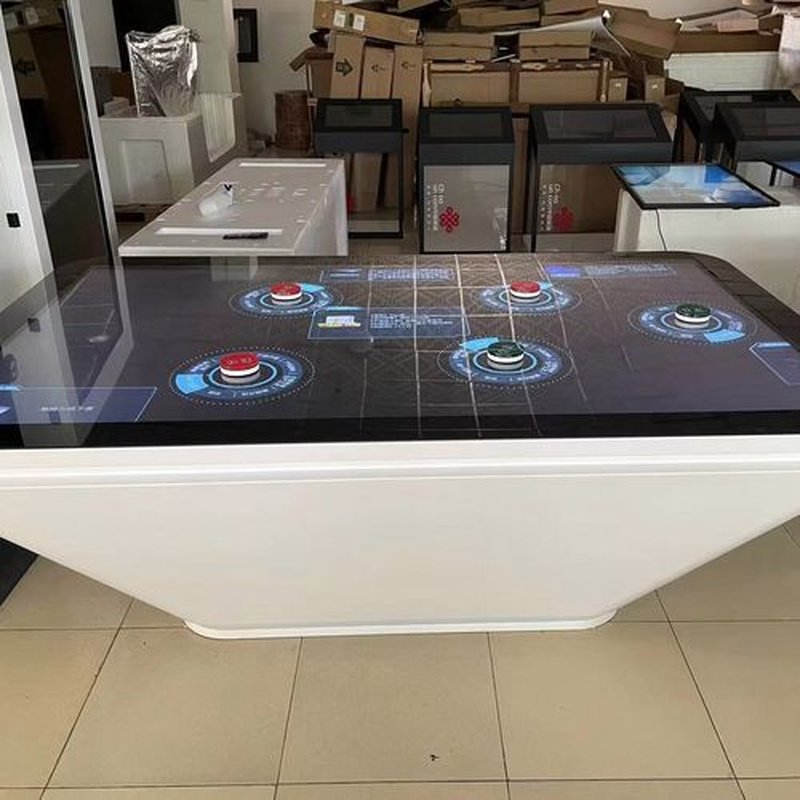
Deploying a commercial-grade Touch Table and Coffee Table Buying Guide provides interactive venues with an advanced digital display platform. For first-time buyers of touch tables or touch coffee tables, navigating through diverse models, hardware configurations, and functional solutions can be challenging. Determining which model best matches actual operational requirements while remaining within budget requires a structured evaluation.
When evaluating touch tables, buyers should look beyond initial purchase price alone. A comprehensive assessment must encompass display quality, touch responsiveness, core hardware configurations, power supply reliability, industrial design, and end-to-end technical support. By understanding the relative strengths of various technical options in the context of specific application scenarios, organizations can select the optimal interactive touch table with confidence.
Touch Table and Coffee Table Buying Guide: 1. Performance: Display Quality and Touch Responsiveness
Performance is a paramount factor when choosing a touch table, covering display brightness, screen resolution, touch response speed, positioning accuracy, and continuous operating endurance.
Display quality directly dictates how clearly images, videos, documents, and interactive software are rendered. When selecting a display, determine the appropriate screen diagonal, brightness rating (nits), and resolution (e.g., Full HD vs. 4K UHD) based on viewing distance, ambient illumination levels, and content detail requirements.
Touch performance is equally critical. Fast, lag-free responsiveness and pinpoint tracking accuracy ensure effortless page navigation, fluid document zooming, and intuitive multi-touch interactions. Furthermore, inspect the thermal dissipation architecture, system stability, and daily maintenance needs.
It is worth noting that display longevity, touch precision, and service life depend on integrated hardware specifications, ambient operating conditions, and maintenance routines, rather than any isolated nominal specification.
2. Hardware Configuration: Tailoring Solutions to Application Requirements
A touch table’s core hardware assembly typically includes the touch sensor module, commercial LCD display panel, embedded host computing system (motherboard/CPU/GPU), and supporting structural peripherals. Diverse configuration tiers influence user responsiveness, software compatibility, and overall capital expenditure.
Regarding touch technology, buyers generally choose between Projected Capacitive (PCAP) and Infrared (IR) touch solutions. Each technology presents distinct characteristics in surface touch feel, bezel construction (pure flat vs. raised frame), ambient light resistance, and durability. Compare these against detailed product specifications.
Display size must be determined by spatial constraints and use cases. Compact screen dimensions suit single-user kiosks or constrained floor spaces, whereas larger screen formats are ideal for collaborative group interaction, digital showroom exhibits, and public experiential zones. Match dimensions to chassis footprint, viewer distance, and expected user density.
The computing platform (Android or Windows OS, CPU tier, RAM, and solid-state storage) must align seamlessly with target interactive software. If deploying specialized 3D visualization or complex databases, verify processing headroom, graphics performance, and long-term OS update compatibility in advance.
An optimal hardware configuration is not necessarily the highest-priced specification on the market; rather, it is one that guarantees stable, smooth performance for your target applications.
3. Power Supply and Operational Stability: Ensuring Continuous Reliability
Because touch tables continuously power high-brightness commercial displays, touch sensors, cooling fans, and internal computer systems, the quality of the internal power supply unit (PSU) and overall electrical engineering is vital.
When evaluating equipment, scrutinize power supply voltage regulation, rated wattage margins, industrial-grade electrical safety protections (over-voltage, over-current, short-circuit), and overall component compatibility. A well-designed power architecture ensures reliable 24/7 operation and minimizes downtime caused by electrical fluctuations.
Additionally, examine internal heat dissipation pathways, cable management, electromagnetic shielding, and grounding design. If equipment will run continuously in commercial venues, give priority to products with proven thermal resilience and low-maintenance profiles.
Prioritize products featuring transparent power specifications, certified components, and comprehensive engineering documentation.
4. Aesthetics and Form Factor: Harmonizing with Space and Ergonomics
Touch tables and touch coffee tables are available in varied industrial designs suited to corporate boardrooms, museum galleries, retail lounges, and hospitality spaces.
Popular design directions include minimalist pure-flat coffee tables, decorative aesthetic furniture consoles, and motorized height-adjustable or tilt-angle display tables. These models offer distinct advantages in visual integration, spatial harmony, ergonomic comfort, and mechanical simplicity.
When finalizing the physical design, consider the following parameters:
Spatial Footprint: Ensure table dimensions fit floor plan allocations while preserving comfortable pedestrian clearance and maintenance access.
Usage Ergonomics: Choose tabletop dimensions and operational heights according to whether users will be seated, standing, interacting individually, or collaborating in groups.
Materials and Build Quality: Evaluate structural chassis stability, tempered glass surface hardness (Mohs rating), scratch resistance, ease of cleaning, and rounded child-safe corner contours.
Serviceability: Verify whether internal motherboards, data ports, and display components are easily accessible for routine inspection and servicing.
The exterior form factor should complement ambient interior decor while maintaining comfortable user ergonomics and effortless field serviceability.
5. Manufacturer and Supplier: Assessing Quality Control and Production Capabilities
Because a smart touch table integrates commercial displays, sensitive touch sensors, embedded computers, and specialized interactive software, the supplier’s engineering maturity, manufacturing standards, and quality management protocols are paramount.
When reviewing potential suppliers, verify whether their technical datasheets are transparent and complete, and evaluate their ability to provide consultative engineering recommendations tailored to your operational goals.
Where feasible, request live product demonstrations, evaluate showroom evaluation units, or inspect manufacturing credentials to assess actual build tolerances, structural rigidity, component sourcing, and assembly precision.
Ensure all technical deliverables, component BOMs (Bill of Materials), and delivery timelines are clearly documented in writing, avoiding purchasing decisions based solely on catalog photos or bottom-tier pricing quotes.
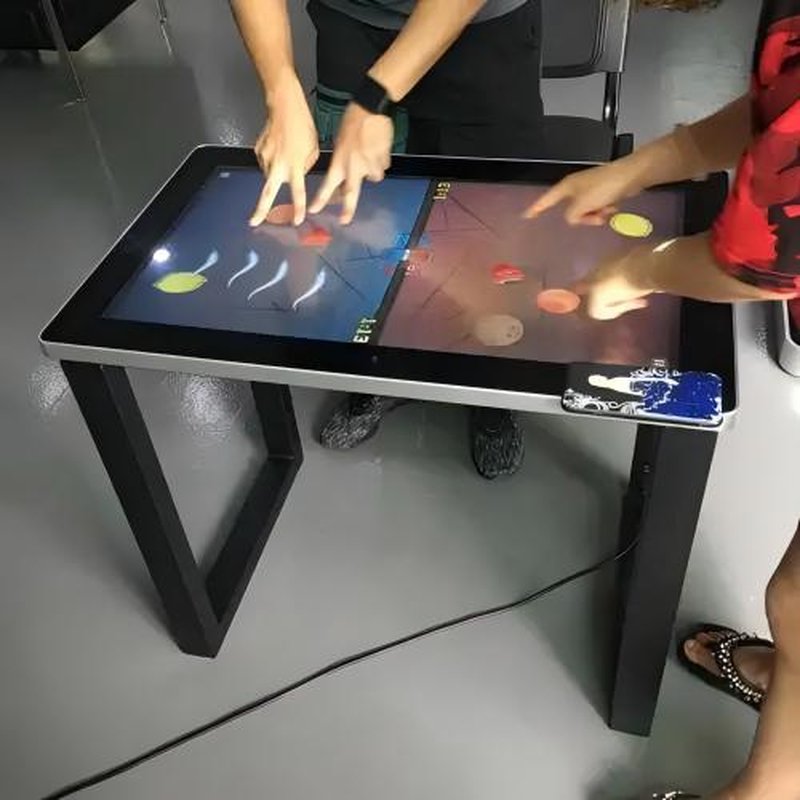
6. Pre-Sales and After-Sales Support: Installation, Maintenance, and Technical Services
Comprehensive technical support shapes the overall deployment experience from initial delivery and commissioning to long-term lifecycle operation.
Prior to procurement, confirm that the vendor provides technical selection assistance, CAD/dimensional drawings, installation manuals, and remote or on-site commissioning guidance. If your project entails custom interactive software, peripheral IoT integration, or intricate multi-screen synchronization, clarify the vendor’s engineering support scope upfront.
For post-sales support, evaluate technical support turnaround times, repair escalation pathways, spare parts availability, and warranty terms. For equipment deployed in business-critical environments, a clearly defined service level agreement (SLA) protects against prolonged operational downtime.
Service capabilities vary significantly among manufacturers. Always delineate support responsibilities, warranty boundaries, and service response commitments before finalizing contracts.
7. ZXTLCD Touch Table Selection Advice
ZXTLCD delivers professional touch table and touch coffee table solutions configured to meet specific vertical market demands. When selecting a unit, ZXTLCD recommends a systematic five-step assessment:
1. Define operational objectives: Clarify whether the primary application is interactive marketing, educational training, board collaboration, or hospitality entertainment.
2. Determine spatial dimensions: Specify screen size and table height based on user capacity, viewing distance, and interior room layout.
3. Align technical architecture: Choose appropriate touch technology (PCAP vs. IR), display brightness, and computing hardware based on software demands.
4. Validate software and peripheral compatibility: Confirm interoperability across custom applications, peripheral scanners, and network systems.
5. Evaluate total cost of ownership: Balance initial hardware procurement against long-term operational stability, durability, and after-sales support guarantees.
Conducting a holistic evaluation ensures procurement decisions deliver the right operational capabilities and long-term business value, avoiding the pitfalls of price-only comparisons.
Summary
Selecting the right touch table or touch coffee table requires a balanced evaluation across six core pillars: display and touch performance, balanced hardware architecture, power supply reliability, ergonomic design, supplier manufacturing capability, and end-to-end after-sales service.
The ideal product is not necessarily the most expensive or highest-specced model on the market, but the one that achieves the optimal equilibrium among budget, application needs, interactive experience, and long-term durability. Clarifying project requirements and thoroughly vetting technical specifications ensures a successful deployment that delivers lasting interactive value.
ZXTLCD provides tailored touch table configurations and dedicated technical expertise across diverse industries, empowering modern commercial spaces with dependable interactive digital solutions. In conclusion, adopting a professional Touch Table and Coffee Table Buying Guide enhances presentation capabilities, engages multi-user audiences, and drives digital transformation.
Looking for customized Touch Table and Coffee Table Buying Guide hardware, multi-touch interactive tables, or OEM/ODM commercial display solutions? Feel free to contact the ZXTLCD engineering team for free consultations, product demos, and tailored technical specifications.