
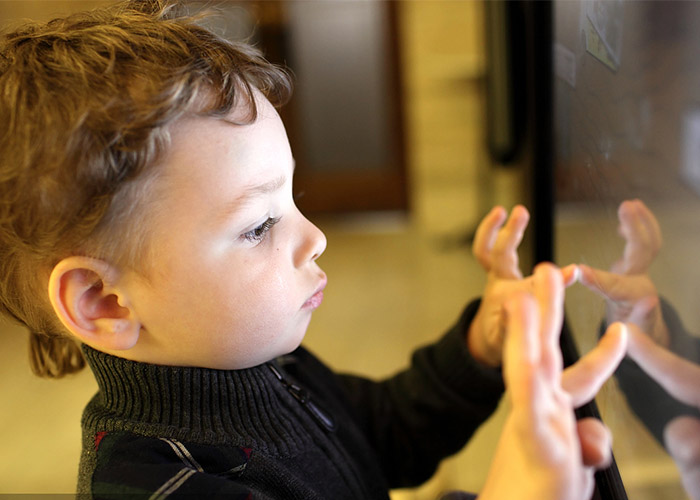
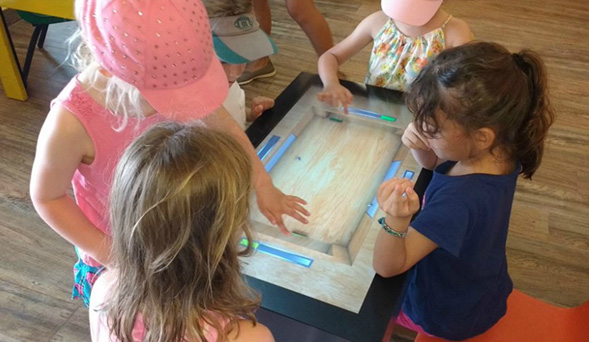
An interactive learning table for children creates a shared workspace where small groups can solve problems, draw, classify information and practice communication. The horizontal screen allows learners to approach from several sides and see one another’s actions. Schools, libraries and activity centers can combine curriculum resources with hands-on tasks while teachers control lesson choice, session length and daily operation.
Build Activities Around Collaboration
Group learning works best when every child has a meaningful role. Personal zones can provide separate pieces of a task, while a central area holds shared answers. Activities may ask learners to combine categories, build a story or compare solutions. The software should reward communication and joint completion instead of allowing one fast user to control the entire session.
The interactive learning table for children needs clear ownership rules. One learner should not accidentally close another person’s work, and the active area should be visible. Turn indicators can help younger groups, while open-ended projects may allow simultaneous input. After a lesson, automatic reset removes previous answers and prepares the table for the next class.
Choose Content for Different Skills
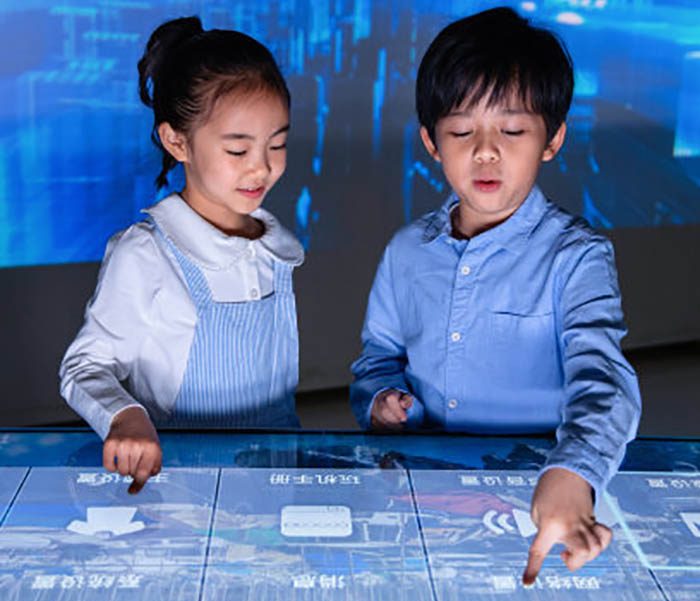
Literacy activities can combine image matching, pronunciation and storytelling. Mathematics lessons may use shapes, number relationships and sequencing. Science resources can present classification and cause-and-effect simulations, while art tools encourage drawing, pattern and color exploration. Each activity should have a clear learning objective that educators can observe.
Not every subject needs the same interaction pattern. Creative tools benefit from open controls, while knowledge practice requires focused questions and explanatory feedback. Content should match age, language, curriculum and expected session length. A staging review lets teachers test difficulty and instructions before a new activity enters the public library.
Design a Child-Friendly Touch Interface
Children may use several fingers, touch rapidly or rest a hand near the edge. Tracking must remain stable during real classroom behavior. Large buttons, generous spacing and immediate visual feedback reduce accidental input. Important information should not sit where arms naturally cover it, and navigation should use clear icons with readable text.
An interactive learning table for children should support different abilities. Strong contrast, adjustable difficulty, captions and alternatives to audio instructions improve accessibility. Timed tasks need a flexible mode for learners who require more time. The interface should avoid relying only on color to communicate correct answers, warnings or navigation.
Match the Furniture to Learners and the Room
Table height, reach distance and screen size should reflect the intended age group and whether children stand or sit. Rounded edges, tempered protective glass, stable support and secured power cables help manage public use. The installation must leave enough circulation space for teachers and learners without blocking doors or classroom routes.
Ceiling lights and windows can reflect across horizontal glass. Brightness, contrast, content colors and surface treatment should be tested in the intended room. The approved cleaning method must preserve glass clarity and touch accuracy after frequent use. A full-size sample reveals reach, reflections and comfort before production.
Select Hardware for Multi-User Lessons
Processor, memory, storage and graphics capability should be tested with the final applications and maximum number of users. Android can suit focused learning software, while Windows may support customized applications and peripherals. Smooth animation and responsive input matter more than specifications that have not been validated through a complete lesson.
The interactive learning table for children should start automatically, recover after power interruption and keep learners away from system menus. Offline content can support environments with restricted internet access. Authorized updates need version records and a backup so an incorrect file or software change can be reversed quickly.

Give Teachers Simple Session Controls
Teachers should be able to choose an activity, pause it, adjust volume and restart the session without technical support. Lessons can be grouped by subject, age and duration. Management information should support educational planning without collecting unnecessary personal data. Scheduled startup and shutdown may simplify operation in a library or activity center.
A short daily checklist can cover glass cleaning, application startup, audio level and touch response. Staff need clear recovery steps and a contact route for issues they cannot resolve. Remote support can assist with software diagnosis, while local service access remains necessary for hardware components. Replaceable modules reduce downtime.
Validate Learning Results Before Deployment
Prototype testing should involve representative children and educators. Observe whether learners understand instructions, collaborate naturally and complete the intended task. Check reach, reflections, gesture conflicts, response time and session reset. Continuous operation reveals heat or stability issues that a short technical demonstration may miss.
The interactive learning table for children should be approved as a complete system that includes enclosure, glass, computing hardware and final software. Acceptance criteria can cover startup, repeated group sessions, teacher controls and recovery. Educator feedback helps ensure that technology supports the lesson instead of becoming the main distraction.
Configure the Table for the Real Learning Environment
ZXTLCD can configure an interactive learning table for children around age group, screen size, operating system, enclosure and content workflow. Early coordination between educators, software developers and hardware integrators creates a safer and more useful learning platform. If you would like to get the specification about above product, contact our sales team now.