
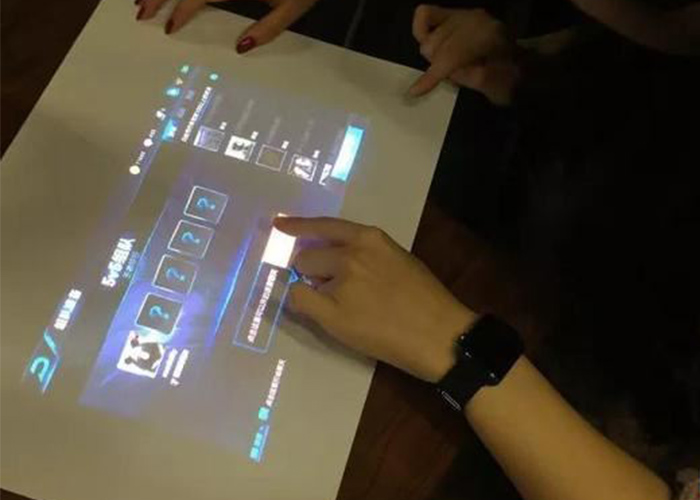
An interactive multimedia touch table brings video, images, maps, documents and responsive applications together on one shared horizontal display. Visitors can approach from several sides, explore content at their own pace and move selected information into a central area for discussion. This makes the table useful in exhibitions, showrooms, hotels, planning centers and collaborative meeting spaces where digital information should encourage conversation rather than isolate one user.
Organize Multimedia Around a Clear Visitor Journey
A large media library needs an understandable structure. Content can begin with a simple choice such as product category, location, time period or visitor goal. Short summaries lead to deeper images, video and specifications only when requested. This layered approach supports casual visitors and guided presentations without crowding the home screen.
The interactive multimedia touch table should keep navigation consistent across every media type. Video controls, image galleries and document viewers need the same home and back behavior. After inactivity, an automatic reset clears previous selections and returns to the approved opening screen, preparing the table for the next group without staff intervention.
Support Shared Browsing from Several Sides
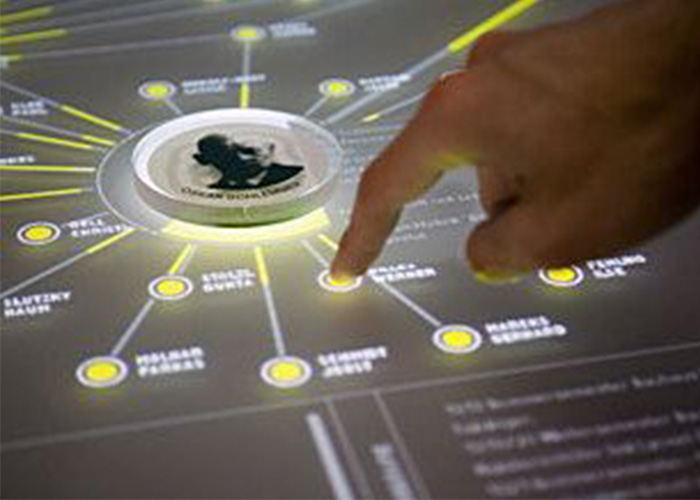
Personal browsing zones can allow several users to explore independently, while a central space holds selected items for comparison. Text and controls should face the expected viewing directions. Clear ownership rules prevent one visitor from closing or moving another person’s content, and visible active states show which window will respond to a gesture.
Tracking must remain stable when hands cross, palms rest on the surface or several gestures happen quickly. Touch-point count alone does not guarantee a good experience. Testing with representative users reveals whether buttons are large enough, content becomes crowded and first-time visitors understand how to collaborate.
Prepare Video, Images and Documents for the Table
Media should be optimized for responsive loading and horizontal viewing. Long videos benefit from chapters or short clips, while captions keep essential information available in silent environments. High-resolution images need smooth zooming without unnecessary file size. Documents should be reformatted into readable screens instead of presented as small desktop pages.
An interactive multimedia touch table needs a controlled publishing workflow. New files should be reviewed in a staging version for naming, orientation, captions and navigation. Removing or renaming content must not create broken links. Version records and a backup of the approved package simplify recovery after maintenance or an incorrect update.
Match the Display to Ambient Lighting
Horizontal glass can reflect ceiling lights, windows and exhibition spotlights. Brightness, contrast, content color and surface treatment should be tested together in the final environment. Anti-glare options may improve readability but can change sharpness. A full-size sample reveals whether dark video, fine labels and maps remain visible.
Protective glass must tolerate frequent cleaning while preserving touch accuracy. Rounded edges, stable support and secured power cables help manage public use. Reach distance, text size, color contrast and seated access should be reviewed before enclosure dimensions and interface layout are approved.
Select Computing Hardware Around the Media Load
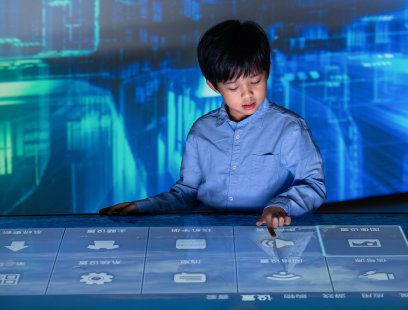
Windows may suit customized applications, advanced graphics and peripherals, while Android can support focused catalogs and wayfinding. Processor, memory, storage and graphics capability should be tested with the final files and maximum number of simultaneous users. Smooth video, immediate touch feedback and fast transitions matter more than untested specifications.
The interactive multimedia touch table should start automatically, recover after a power interruption and prevent public access to system menus. Cached content keeps the experience useful when network access is interrupted. Authorized staff need controlled update and restart functions without exposing technical settings during normal operation.
Adapt the Content to Different Venues
Retail showrooms can present product ranges, finishes and installation examples. Museums can organize collections by theme or time. Planning halls can combine maps, project phases and before-and-after imagery, while hotels can provide local information and service browsing. Each venue requires a different session length and balance between self-service and staff guidance.
Optional speakers, cameras, NFC, charging and recognition modules should serve a defined visitor goal. Every addition affects power, cooling, software and maintenance. A focused configuration is easier to understand and more reliable than a table filled with unrelated effects. Audio also needs volume control so it does not disturb nearby visitors.
Plan Cooling, Service and Daily Operation
Displays, computers and power supplies generate heat inside the enclosure. Airflow must remain effective after installation near walls or furniture, and quiet cooling matters in galleries and meeting rooms. Service panels should reach major components without dismantling the complete table. Replaceable modules and labeled cables reduce downtime.
Daily procedures can include glass cleaning, startup checks and application restart. Staff should know how to report recurring touch or content problems. Remote support can assist with software diagnosis, while local access remains necessary for physical service. The approved configuration should be documented for reliable recovery.
Validate the Complete Multimedia Experience
Prototype testing should ask representative visitors to find information, compare items and return to the home screen. Observe reach, reflections, response time, video performance, gesture conflicts and session reset. Continuous operation reveals heat or stability issues that may not appear during a short demonstration.
ZXTLCD can configure an interactive multimedia touch table around the venue, screen size, enclosure, operating system and content workflow. Coordinating media production, interface design and hardware early creates a dependable shared platform. If you would like to get the specification about above product, contact our sales team now.