
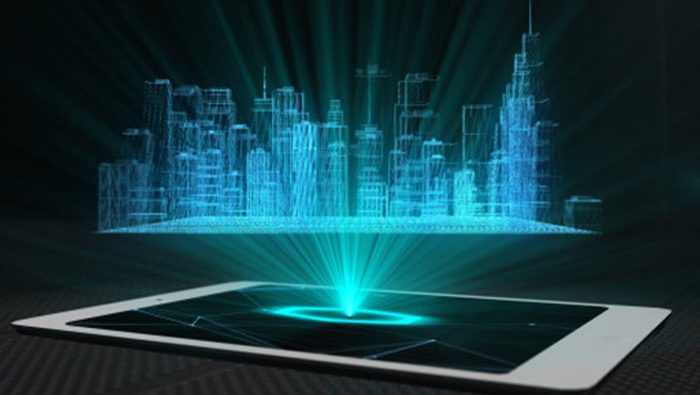
A tabletop interface that responds to real objects
Object recognition touch table technology connects physical items with digital information on a horizontal display. When a visitor places a model, token, sample or specially prepared object on the screen, the system identifies it and opens the related image, video, animation, data or control. The same screen can still respond to ordinary finger gestures, allowing people to move, enlarge and compare content around the recognized item.
This interaction removes the need to begin with a deep menu. A customer can place a product sample on the glass, a student can choose a learning model, or a museum visitor can select a replica. The physical action provides an immediate starting point, making the experience easy to understand even for first-time users.
How the recognition process works
The table combines a display, multi-touch sensor, recognition controller, computer and custom application. Each compatible object carries an identifier that the system can distinguish. Depending on the project, identification may use optical patterns, conductive markers, capacitive codes or radio-based tags. The application receives the identity and position, then presents the correct response near the object.
Position matters as much as identity. The software may need to know whether two objects are close together, which direction an item faces or when it has been removed. Clear visual feedback confirms that recognition has occurred. A label, highlight or animated ring can appear before deeper content opens, preventing visitors from wondering whether the system has responded.
Recognition and multi-touch work together
A successful table does not force users to choose between physical objects and touch. Object recognition touch table technology can support both at the same time. One person may place a model while another rotates an image, opens a specification or compares a second item. The interface needs rules that separate deliberate gestures from an object base or a hand resting on the surface.
Multi-user design is especially important on a horizontal display. Content may face different sides of the table, and frequently used controls should remain within comfortable reach. Personal work areas can surround a shared center, allowing several visitors to explore independently before bringing selected information together.
Where object recognition creates useful experiences
In museums and science centers, models can open stories, diagrams and animation without requiring long instructions. In education, students can sort objects, assemble sequences or compare examples while the table records the result. In a property showroom, building models can reveal floor plans, availability and nearby facilities. Retail and brand spaces can connect physical samples with colors, specifications and related products.
Entertainment applications use pieces as characters, resources or commands. Corporate presentations may use tokens to open project stages, departments or solution categories. The technology is flexible because meaning comes from the selected objects and software rather than from the table alone.
The object is part of the product design
Recognition markers should be planned with the physical object. Base diameter, weight, material and visual appearance affect stability and identification. A light object may move when touched, while an oversized base can cover important content. The object should be comfortable to hold and durable enough for repeated public use.
For premium exhibitions, the identifier may need to remain hidden. For games or education, the recognition base can become part of the graphic design. The quantity of simultaneous objects, required orientation and minimum spacing must be confirmed before software development. Testing with representative samples prevents recognition conflicts later.
Display and computing specifications
The horizontal screen should maintain clear color and contrast from several viewing angles. Brightness must suit the room, while anti-glare treatment can reduce reflections under exhibition lighting. Resolution should support maps, labels and detailed images without making touch controls too small. A smooth, cleanable surface protects the display and supports frequent interaction.
Computing requirements depend on content. Android may be suitable for focused media and straightforward applications. Windows is commonly selected for custom software, 3D graphics and broader peripheral support. Object recognition touch table technology may also connect to a network, content management platform, external display, audio system or customer database.
Building the enclosure for public use
A rigid enclosure keeps the screen stable when several people lean toward it. Rounded edges, protected cables, organized ventilation and accessible service panels improve safety and maintenance. The table height should match the expected audience, and wheelchair access can be considered when the installation serves a public venue.
Appearance is also important because the product functions as furniture. Shape, color, material and lighting can match a museum gallery, showroom, classroom or hospitality interior. The technology should feel integrated into the space rather than placed there as an unrelated monitor.
What buyers should confirm before production
A useful project brief identifies the objects, number of simultaneous users, content types, operating platform, screen size, installation environment and required connections. Buyers should request a demonstration using representative objects and workflows. The test should cover recognition speed, position accuracy, object removal, ordinary touch, multi-user behavior and continuous operation.
ZXTLCD can configure the display, touch layer, recognition method, computing platform and enclosure around the intended application. Object recognition touch table technology delivers the strongest result when the physical object, software response and table structure are developed as one experience. With well-matched hardware and content, object recognition touch table technology becomes a practical communication platform. Visitors then focus on discovery and comparison instead of learning how to operate the equipment.