

Performance begins with the way people use the table
A touch table may be installed in a showroom, museum, meeting room, retail space or entertainment venue, but every project asks the same basic question: will the interaction feel immediate and natural? Touch screen table performance is not determined by one specification. It is the result of the touch sensor, display panel, computer, application and physical structure working together. A fast processor cannot compensate for a poorly configured touch layer, while an accurate sensor cannot create a good experience if the software responds slowly.
The best starting point is the real visitor journey. A product browser may need only clear buttons, image enlargement and video playback. A planning table may need several people to move maps at the same time. A game table may demand fast multi-touch tracking, while an object recognition table must identify physical markers without interrupting ordinary finger input. Defining these actions before choosing components keeps the configuration focused and prevents unnecessary cost.
Price Of Tables
When considering touch tables options, price becomes a significant factor. IR is typically the most cost-effective, followed by PCAP and other options. However, it is essential to remember that the cost generally reflects the level of performance and features based on your specific criteria.

Choosing between infrared and projected capacitive touch
Infrared touch frames are widely used for large interactive tables because they support multiple touch points, work with fingers and many passive objects, and remain economical as screen size increases. The sensing frame sits around the display and detects interruptions across a light grid. It is suitable for exhibition navigation, education, collaborative presentation and many public applications where a slightly raised border is acceptable.
Projected capacitive touch creates a flatter, more familiar surface similar to a modern tablet. It offers precise response and a clean appearance, making it attractive for premium retail, corporate presentation and furniture-style installations. The glass, controller and grounding arrangement must be matched carefully, especially on larger screens. Price is normally higher than infrared, but the edge-to-edge finish and refined response can justify the difference where appearance is central to the project.
Neither technology is automatically better. The correct choice depends on screen size, expected touch count, surrounding light, surface design, object recognition requirements and budget. Comparing complete samples with the intended software is more useful than comparing touch-point numbers alone.
Responsiveness depends on the entire signal chain
Visitors notice delay immediately. A button that reacts late, a map that follows the finger unevenly or an image that stutters during rotation makes the table feel unreliable. Touch screen table performance therefore depends on the path from the sensor controller to the operating system and application. Processor speed, memory, graphics capability, storage condition and background services all influence the final response.
Android is practical for focused applications, media presentation and straightforward remote content management. Windows supports a broad range of professional software, custom development tools and high-performance graphics. The operating platform should be selected after confirming the application, peripheral requirements and maintenance method. Adding excessive hardware does not improve a simple presentation, while an underpowered computer can limit a demanding multi-user program.
Testing should include the actual media files and software build. High-resolution video, layered maps, 3D models and several simultaneous users place different loads on the system. A short demonstration with a single image cannot represent daily operation.
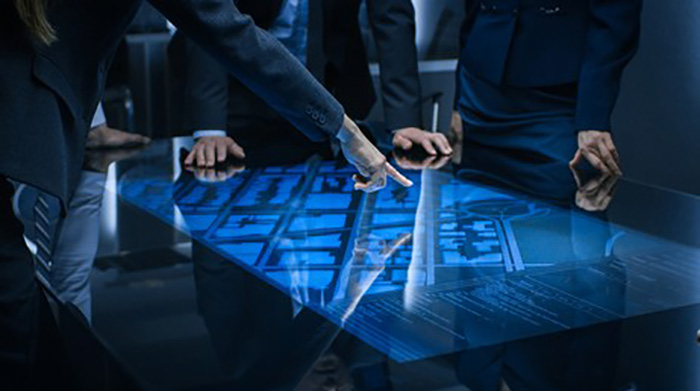
MULTI-TOUCH
The multi-touch capability is prevalent in multitouch tables. However, it is crucial to note that the software application may not always make use of this capability, rendering it unnecessary in certain cases.
Different multi-touch configurations serve various applications. For instance, single touch is suitable for simple button selection or single-touch panning, while 2-point multi-touch is ideal for applications that require two-finger zooming. More than 2-point multi-touch is often seen in demonstrations but has limited practical applications, with the exception of object recognition and gaming.
Display quality shapes the shared viewing experience
A horizontal screen is viewed from several sides and at shallower angles than a wall display. Brightness, contrast, color stability and viewing angle must therefore be considered together. Text near the far edge should remain readable, and dark details should not disappear when the viewer moves around the table. Anti-glare treatment can reduce reflections in bright interiors, but it should preserve image clarity and touch accuracy.
Resolution should match both screen size and viewing distance. Fine drawings, maps and product details benefit from higher resolution, while interface elements still need enough physical size for comfortable touch. Designers should avoid simply shrinking a desktop interface onto the tabletop. Large controls, clear spacing and visible feedback improve usability more than adding decorative animation.
Multi-touch should support a real task
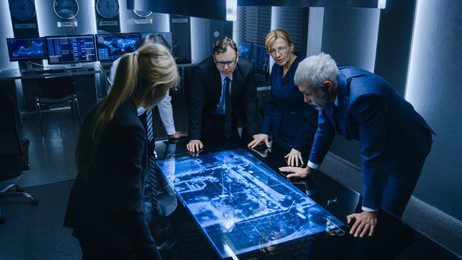
Multi-touch is valuable when two or more actions genuinely occur together. Pinch-to-zoom requires two points, collaborative sorting may require several, and a game or planning application may support users on every side. However, a high advertised touch count does not guarantee a better experience. The software must assign touches correctly, prevent accidental conflicts and keep controls oriented for different viewing positions.
For shared use, the interface can divide the screen into personal work areas and a central comparison zone. Users can explore separate content before moving selected items into the shared space. This arrangement makes the table useful for consultation, education and design review without forcing everyone to follow one fixed sequence.
User Experience
Responsiveness is a critical aspect of user experience, especially when it comes to pressing buttons or drawing lines. Poor responsiveness can be attributed to the software application or an underpowered PC, impacting user satisfaction.
When it comes to aesthetics, raised bezels on touch-screens, commonly seen in IR touch technologies, can collect dirt and may restrict access to the edges of the display. Some users prefer completely flat surfaces, similar to smartphones and tablets, which are achieved through technologies like PCAP, acoustic wave, and certain proprietary solutions.
Physical construction protects the interactive system
The enclosure affects stability, heat management, service access and visual quality. A rigid frame prevents movement when several users lean toward the screen. Ventilation must remove heat without creating distracting noise or exposing openings to accidental spills. Cables, power connections and computer modules should remain accessible to service staff but protected from visitors.
Glass thickness, edge treatment and mounting pressure also influence touch screen table performance. The surface should be smooth, easy to clean and properly supported across the display. In public spaces, rounded corners and a stable base contribute to safety as well as appearance. Furniture finishes, colors and materials can be customized to match the surrounding interior.
Balancing price with long-term value
The lowest purchase price is not always the lowest project cost. Replacing an underpowered computer, correcting unstable software or opening a difficult enclosure for routine service can cost more than choosing a balanced specification from the beginning. A practical quotation should identify the display, touch technology, operating system, computer configuration, enclosure material, connectivity and optional peripherals separately.
ZXTLCD can configure interactive tables around the intended application rather than forcing every project into one standard package. Screen size, touch method, Android or Windows hardware, appearance and interfaces can be adjusted for exhibition, retail, education, corporate and entertainment environments. Clear project information allows the configuration to be matched to the actual workload and avoids paying for functions that will not be used.
Evaluate the complete experience before approval
Final evaluation should use the intended software and representative content. Test startup time, touch response, edge accuracy, multi-user behavior, video playback, network recovery and continuous operation. The surface should remain stable during repeated interaction, and the interface should return to a clear home state after each visitor.
Good touch screen table performance feels simple because the complex decisions have already been resolved inside the product. When sensing, computing, display quality and construction are balanced, visitors can focus on the content instead of the equipment. Consistent touch screen table performance gives buyers a measurable basis for approval. That balance is the real measure of value for a touch table installed in a customer-facing space.