
Value in real application spaces
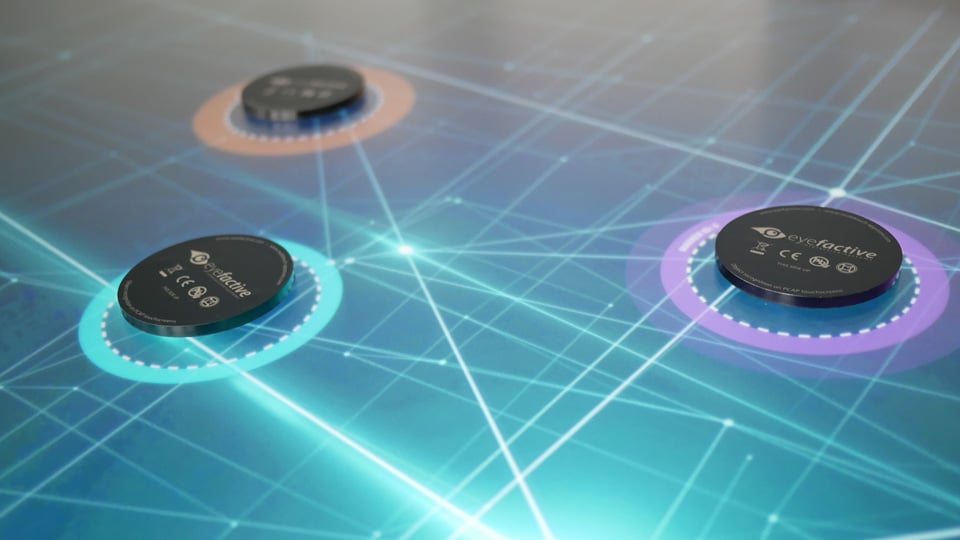
An interactive product in a planning museums, urban exhibition halls and public consultation spaces should invite people to approach it. The urban planning object recognition table creates a visible center with a horizontal screen and a furniture-like enclosure. Visitors can begin with architectural models, district modules and transport nodes without searching through a complicated opening screen. Physical and digital information remain within the same field of view instead of being scattered across signs and wall displays.
Its central benefit is to connect urban spatial relationships with digital maps, visual media and planning information connect naturally. Visitors can tap, drag, rotate and enlarge content while seeing an immediate response. This direct relationship between action and result is easier to understand than a continuously looping presentation, especially for people meeting the subject for the first time.
ZXTLCD touch table customization
A horizontal display allows people to stand or sit around the active surface. Content can face several directions, and frequently used controls can remain within comfortable reach. The urban planning object recognition table therefore supports individual exploration while also creating a natural place for face-to-face discussion.
A large tabletop can keep the main visual, detailed images and supporting information visible together. Maps, diagrams, product galleries and video can appear in related areas instead of being separated by repeated page changes. Visitors control the pace and see a connected product story.
See the product value from the first glance
Responsive touch performance determines whether the urban planning object recognition table feels comfortable. Buttons, images and recognized items need visible feedback as soon as a finger reaches the surface. Dragging and zooming should remain smooth, while text and icons stay large enough for a short public interaction.
When the display includes architectural models, district modules and transport nodes, color, position and motion can show what is currently selected. Supporting details can open in layers, keeping the first view uncluttered without hiding the central product benefits. The interface supports the product story instead of competing with it.
A shared view on a horizontal display
Two or more people often gather around equipment in a planning museums, urban exhibition halls and public consultation spaces. Separate active areas allow visitors on different sides to open content that interests them. A shared area can then present a comparison, discussion point or video, allowing personal choices and group interaction to exist on the same surface.
Multi-user interaction does not require a crowded screen. Consistent window direction, control position and return behavior make each area understandable. This lets the urban planning object recognition table serve families, student groups, customer presentations and collaborative meetings.
Touch response makes content easier to understand
Image clarity depends on brightness, contrast, resolution and the screen surface working together. Fine lines, small labels and dark-to-light detail should remain visible. Smooth, cleanable glass supports repeated touch, while a stable enclosure keeps the display steady when several people use it at once.
The urban planning object recognition table can present photographs, video, animation, maps and dedicated applications. A landscape tabletop is particularly effective for spatial relationships and side-by-side content. Unlike a vertical screen, it does not create a single front position, so visitors can approach from several sides.
Natural advantages of around-the-table interaction
A public touch product may remain illuminated for long periods and receive repeated daily use. Durable surfaces, stable construction, balanced ventilation and a clean interface arrangement support that workload. Neat edges and joints help the equipment retain a professional appearance in a highly visible space.
When idle, the urban planning object recognition table can show a themed visual or brand message before returning to its interactive home view. The tabletop can support a brief lookup or a longer exploration without forcing every visitor through the same sequence.
Visual performance works with the physical structure
Within a planning museums, urban exhibition halls and public consultation spaces, the urban planning object recognition table can become the main content surface. It presents architectural models, district modules and transport nodes and uses images, video and interactive pages to reveal details. Attention remains on the subject rather than on instructions about how the system was produced or managed.
Different spaces can use different visual languages. Technology environments may emphasize clear data and motion graphics, cultural spaces may favor stories and imagery, and commercial spaces may focus on product combinations and brand presentation. The same tabletop form can support these uses while remaining direct and inviting.
Product details suited to continued public use
ZXTLCD can configure screen size, enclosure appearance, operating platform, touch technology and content format for a urban planning object recognition table. Color, material, border treatment and structure can match the surrounding planning museums, urban exhibition halls and public consultation spaces, allowing the display to function as both an interactive screen and part of the interior.
Built around the ability to connect urban spatial relationships with digital maps, visual media and planning information connect naturally, the ZXTLCD tabletop can carry custom pages, brand visuals, multimedia and multi-user applications. The result combines product, content and space in one experience with clear information, natural interaction and strong visual presence.
Keep product content attractive within the space
The urban planning object recognition table does more than enlarge a website on a table. It uses the landscape surface to reorganize architectural models, district modules and transport nodes. A strong opening visual attracts attention, detailed pages explain the subject, comparisons reveal meaningful differences, and motion media shows processes that a static object cannot express. Each format appears where it is most useful, keeping the tabletop clear while giving the story depth.
After a visitor completes a session, the display can return naturally to a themed home view and present the most representative product image again. This cycle lets the equipment support active touch and passive visual presentation. In a planning museums, urban exhibition halls and public consultation spaces, the table becomes more than a clickable screen: it is an interactive focal point that continues to gather attention, encourage conversation and strengthen the identity of the subject.