
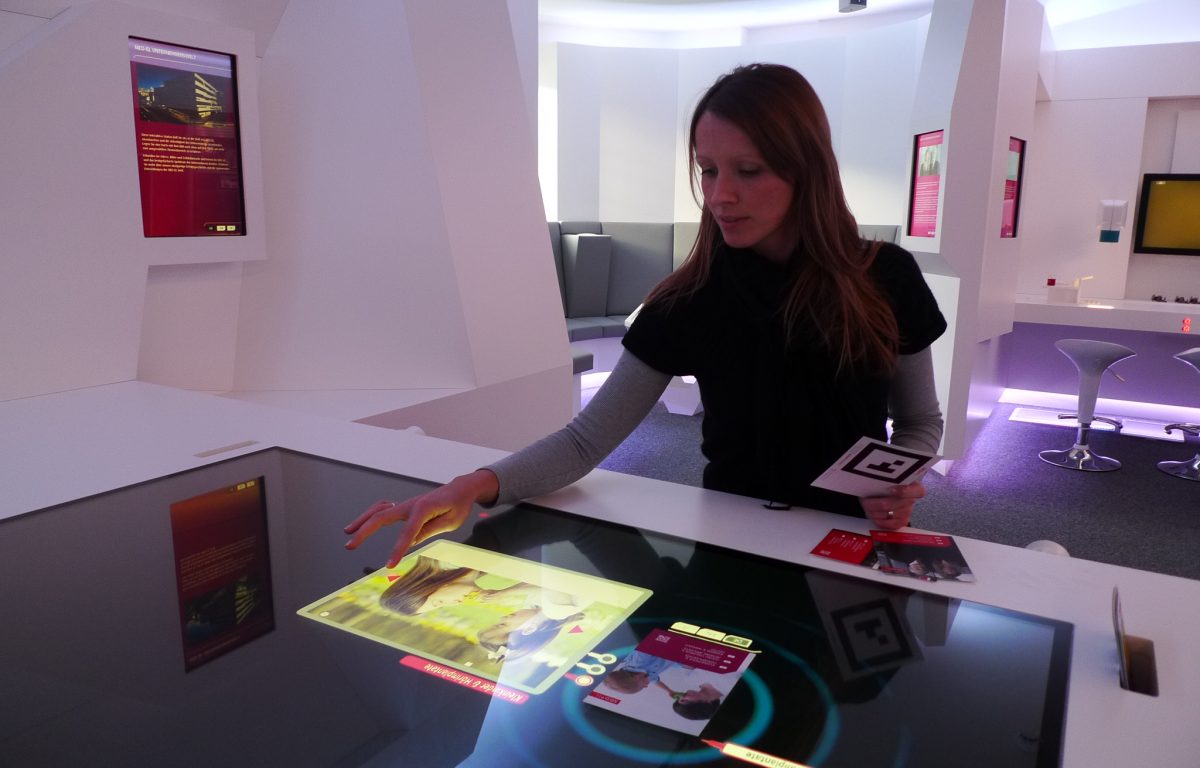
An multi touch coffee table combines display, touch and tabletop space so several users can view, choose and discuss the same content. It is not simply a vertical screen turned sideways: operating direction, reach, table height and the multi-user interface directly shape the experience.
Multi-touch allows two or more users to move images, choose controls or join a game at the same time. It is most useful where people make decisions and communicate face to face, rather than merely replacing a conventional coffee table with a lit screen.
Multi Touch Coffee Table: Shared Interaction Is the Main Reason to Choose the Table
Home entertainment, children activities, corporate presentation and meetings can use a tabletop display, but multi-touch creates real value only when several people need to participate together.
On the multi touch coffee table, multi-touch allows two or more users to move images, choose controls or join a game at the same time. It is most useful where people make decisions and communicate face to face, rather than merely replacing a conventional coffee table with a lit screen.
Useful Multi-Touch Matters More Than a Large Number
Stable ten-point touch is sufficient for many two-person or small-group tasks, while very high touch-point claims require support from the application, controller and software together.
On the multi touch coffee table, ten-point touch supports most two-person games, image sorting and small-group presentation. The application must handle multiple fingers and orientations correctly; additional hardware touch points cannot fix an interface built around one shared menu.
Glass Shapes Touch Feel and Everyday Safety
Protective glass must balance strength, safe edges, light transmission, cleaning and touch sensitivity, with thickness and bonding verified on a sample rather than by material name alone.
The tabletop glass supports viewing, touching and daily physical use. A flat surface is easy to clean, smooth edges suit homes and public spaces, and suitable optical bonding preserves image clarity and touch response.
Match Performance to the Application
Simple presentations, video, multiplayer games and 3D visualization place different demands on CPU, graphics, memory and storage, so the configuration should be chosen through real software testing.
Images and video can run on a basic configuration, while multiplayer games and 3D content require stronger CPU and graphics performance. ZXTLCD can match Windows or Android hardware to the customer application without overspecifying simple use or underpowering demanding software.
Choose a Form That Fits the Room
A black square table, round table or custom base must be considered with furniture, circulation and seating because screen angle, height and power position affect shared use.
A square table supports seating on four sides, a rectangular form suits two-sided collaboration, and rounded corners feel safer near circulation. Screen size, table height and base width determine whether users can comfortably reach the centre.
Keep Internal Components Serviceable
Service access, cooling, system recovery, software updates and spare-part support matter more than one demonstration, so acceptance should include continuous operation and fault recovery.
The computer, cooling components and power supply should be accessible without removing the glass. A recovery image and application backup return the unit to service after a software fault, giving the table value beyond a one-time demonstration.
A Product Configuration Ready for Project Delivery
The multi touch coffee table can use Android or Windows according to software load and combine the required screen size, touch method, table form, interfaces and optional modules. ZXTLCD can install customer content on a sample and confirm operating direction, picture quality and structural details before volume production.
From the first day of use, a clear start page, stable touch, concealed cables and accessible service construction are part of the product value. The unit should attract users during its first presentation and retain the same experience through repeated operation, content changes and routine cleaning.