
Turn a physical choice into the beginning of a story
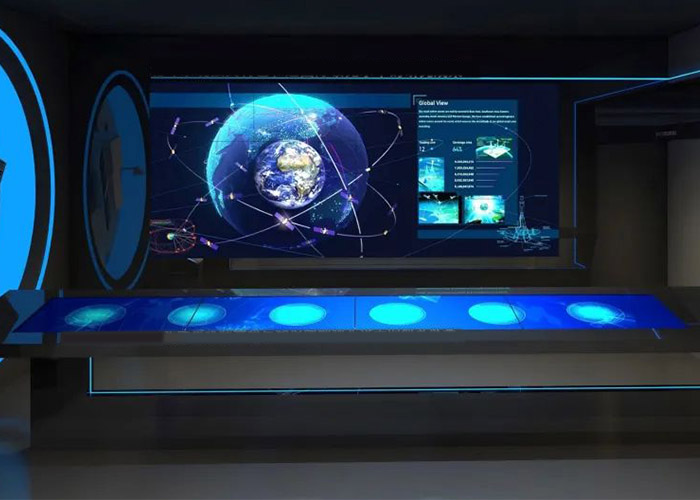
Tabletop object recognition lets visitors enter content by picking up, placing and moving an item. The action feels closer to real exploration than selecting an abstract icon, and it is easy for families, children and groups to understand. Models, samples, cards or replicas can each become the key to a digital story.
The first response should identify the object, explain why it matters and show what can be explored next. Fast feedback builds confidence, while layered content supports longer visits.
Use comparison and combination to deepen interpretation
A single item can trigger photographs, video and 3D media. Two or more items can trigger a comparison or reveal a relationship. Placing two material samples together may show performance differences, while arranging building modules may change a planning scenario.
In this way, tabletop object recognition goes beyond information lookup. It can visualize cause, connection and the result of a choice, which is especially valuable for complex exhibition themes.
Design the physical objects as part of the interface
Object size, color, weight and labeling influence whether a visitor wants to handle it. Tokens should be durable, cleanable, easy to return and visually consistent with the exhibition. Too many objects create decision pressure, so the selection should support the central narrative.
Every item used for tabletop object recognition needs an identifier and a replacement plan. Operators should know how to recover when an object is lost, damaged or no longer recognized.
Protect the logic when content changes
When exhibition media is updated, the team must check object mappings, comparison relationships, languages and the default page, not only replace images. One broken link can interrupt an entire story.
A management system can organize tabletop object recognition content by theme and record publishing dates and versions. Testing should follow the visitor’s physical actions through every complete path.
Move from a story prototype to manufacturing
ZXTLCD can configure tabletop object recognition around the object set, table size, simultaneous users, software and enclosure. Building one complete story prototype early confirms recognition, content pace and multi-user behavior.
After that prototype is approved, the remaining objects and stories can be added with lower risk. The hardware structure then serves a verified experience instead of an untested content plan.
Support guided and self-directed visits in one system
During self-directed use, the tabletop needs a concise entry point, visible feedback and automatic return. During a guided session, staff may need to open a prepared story, pause a sequence, compare selected objects or send the result to a wall display. Both modes should use the same approved tabletop object recognition content so the venue does not maintain two contradictory sets of media.
Guide controls require appropriate access and a clear way to exit to public mode. Staff training should cover recognition failure, a missing object, a frozen media item and an occupied linked screen. They should be able to return the table to a safe default without entering the operating system in front of visitors. A short operating guide, spare-token inventory and fault log help the venue respond consistently and reveal recurring issues that should be corrected in software or hardware.
Retain Evidence and Media Sources
Historical, scientific and product claims should retain clear sources, especially dates, measurements and conclusions that visitors may quote later. The content database can store source notes and media permissions even when those records are not shown on the public screen. This gives curators a defensible review trail and prevents future updates from separating an image or statement from its evidence. For tabletop object recognition, the source record should follow the content item when it is reused in another story or venue.