

An object recognition experience table connects physical objects with digital information on a large interactive surface. When a visitor places a tagged model, token or product sample on the glass, the system identifies it and opens the corresponding content. Users can then compare features, explore scenes, rotate media and continue with ordinary multi-touch gestures. This relationship between a real object and an immediate digital response makes the table useful for exhibitions, product showrooms, education centers and collaborative presentations.
How Object Recognition Creates a Natural Starting Point
Many public touch applications require visitors to find a menu before they understand what to do. Object recognition changes that starting point. A physical model placed on the surface becomes the instruction: the table responds around it with images, specifications, maps or video. The interaction can feel direct even to someone who has never used the application, because moving or rotating the object produces visible feedback in the same area.
The recognition method may use passive optical tokens, capacitive markers, RFID or another technology selected for the project. Each approach has different requirements for glass, sensors, object shape and software integration. An object recognition experience table should be designed around the final objects and visitor tasks, not around a demonstration token that will never appear in the installed venue. Early testing prevents unreliable recognition and awkward content placement later.

Design Tokens That Visitors Can Understand
A token can represent a product, location, material, character or process. Its shape, graphics and weight should make the meaning clear before it touches the display. Tokens need to be comfortable to lift, stable when placed on the glass and durable enough for repeated public handling. If rotation changes a setting, the content should show the current value and give immediate feedback as the visitor turns the object.
Passive tokens avoid batteries and charging, which can simplify daily operation. They still require storage, inventory control and a plan for replacement if one is lost or damaged. A tether may be appropriate in unattended areas, but it must not interfere with movement or create a hazard. The object recognition experience table should also explain what happens when an unsupported object is placed on the surface, rather than appearing unresponsive.
Combine Recognition with Multi-Touch Exploration
Recognition should open a journey, not end it. After a product model triggers its information, users may want to enlarge images, play a video, move a specification card or compare it with another object. Standard gestures need consistent behavior across all content. The interface should keep controls far enough from the recognition footprint that a hand or token does not cover important buttons.
Several visitors may place objects at the same time, so software must manage ownership and screen space. Personal zones can appear around each token, while a shared comparison area presents selected information. Limits should be clear when the surface becomes crowded. Removing an object can close its content immediately or leave a summary card behind; the correct behavior depends on the intended conversation and should be validated with representative users.
Match Display and Computing Performance to the Content
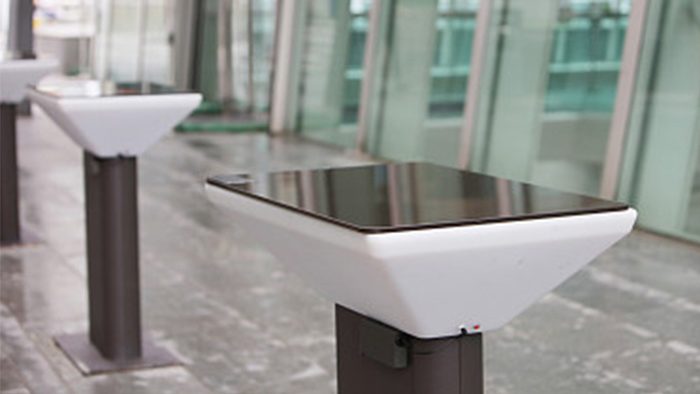
High-resolution product imagery, three-dimensional scenes and multiple video windows can place heavy demands on the computer. Windows may suit customized recognition software, advanced graphics and peripheral integration, while other operating systems can support focused applications. Processor, memory, storage and graphics capability should be tested with the complete application and the maximum expected number of active objects.
An object recognition experience table needs responsive touch tracking and stable recognition at the same time. Delayed feedback makes visitors rotate or move a token again, creating confusion and additional processing load. Performance testing should include rapid placement, simultaneous objects, long operating periods and recovery after a power interruption. The public interface must prevent access to operating-system menus and start automatically in the approved application.
Plan the Glass, Lighting and Recognition Area
Horizontal displays are exposed to reflections from spotlights and daylight. Brightness, contrast, content color and glass treatment must be reviewed together in the real lighting plan. Protective glass should tolerate frequent cleaning while preserving touch and recognition accuracy. Decorative printing and dark borders can improve the furniture appearance, but they must not obstruct sensors or reduce the usable area without being reflected in the interface design.
The active recognition zone should be visible without making the design feel technical. Subtle outlines, animated prompts or object-shaped graphics can guide placement. Feedback should appear close to the object and remain readable from the expected side of the table. For standing groups, reach distance and text orientation are especially important; for seated users, the enclosure height and knee space also affect comfort.
Apply Recognition in Exhibitions and Showrooms
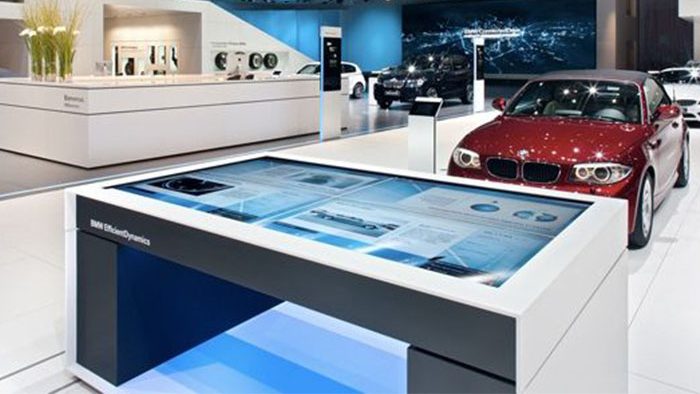
In a showroom, physical samples can open specifications, available finishes, installation examples and related accessories. Staff can place two models on the object recognition experience table and guide a side-by-side comparison without searching through separate brochures. In a museum, replicas may reveal historical context or reconstructed scenes. Education centers can use material samples to explain recycling, energy or manufacturing processes through hands-on investigation.
Recognition can also support spatial exploration. A building model may open a floor plan, while rotating a token changes the viewing direction or selected layer. The experience should maintain a clear connection between the physical action and digital result. Complex gestures and hidden states reduce accessibility, so the application benefits from short instructions, obvious reset controls and a home screen that returns automatically after inactivity.
Prepare for Service and Daily Operation
Service panels should provide access to the computer, touch controller, recognition hardware, power supply and cooling components. Internal cables need secure routing and clear labels. The airflow path must remain effective after the table is installed near walls or furniture, and quiet cooling is important in museums, galleries and meeting rooms. Replaceable modules reduce downtime when a single component needs attention.
Staff procedures should cover cleaning, token inventory, application restart and reporting of recognition problems. Remote support can help diagnose software issues, while local access remains necessary for hardware service. Content updates should be controlled so new files cannot break object assignments. A backup of the approved configuration makes it easier to restore the experience after maintenance or an unexpected software change.
Validate the Complete Interaction Before Production
Prototype approval should use the final glass, recognition objects, enclosure and representative content. Ask typical visitors to begin without explanation, compare items and reset the session. Observe recognition speed, touch conflicts, reach, reflections and whether physical objects obscure essential information. Continuous testing with repeated placement and removal helps expose issues that may not appear in a short demonstration.
ZXTLCD can configure an object recognition experience table around the required screen size, enclosure, operating system, recognition method and content workflow. Coordinating physical objects, interactive software and service access early creates a reliable installation that supports real visitor goals. If you would like to get the specification about above product, contact our sales team now.