
Smart Touch Dining Table Features and Maintenance for Restaurants

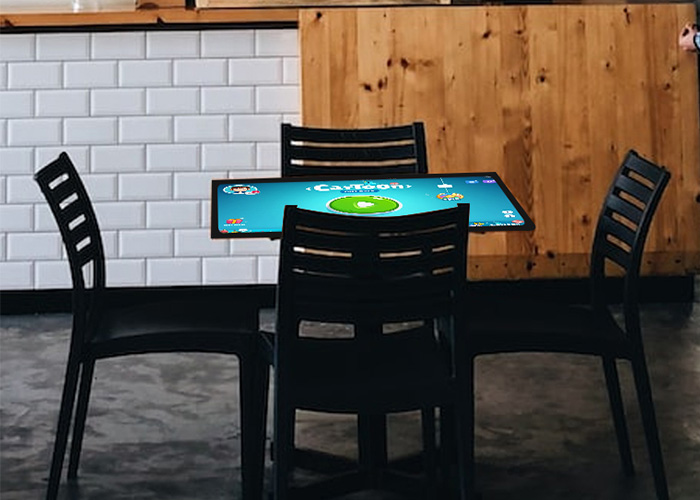
A smart touch dining table combines a commercial display, touch control, computing hardware and restaurant furniture in one customer-facing unit. Guests can browse menus, compare meals, review ingredients and use simple entertainment while waiting. Long-term performance, however, depends on more than the screen specification. Daily cleaning, liquid response, glass inspection, ventilation, cable checks and software management all affect whether the table remains reliable in a busy dining environment.
Understand the Tabletop Experience
A digital menu can present photographs, prices, ingredients, portion options and current promotions on the same surface. Several guests can view content from different sides, so the interface should offer clear orientation, large touch targets and permanent access to the menu, basket and service controls. Entertainment should never cover an order status or make it difficult to return to the dining functions.
An order should pass through a visible confirmation stage showing selected items, quantities, requests, table number and total price. This reduces mistakes caused by water drops, plates, palms or casual contact. Restaurants can connect the table to their ordering workflow, but the exact process must match the existing point-of-sale and kitchen system rather than forcing staff to manage a separate operation.
Clean the Glass after Each Group
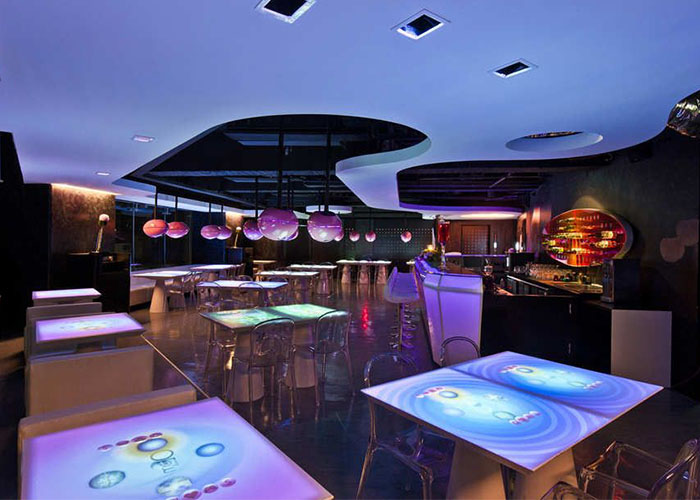
End the active session or enter a maintenance mode before cleaning, otherwise every wiping movement may be interpreted as a touch. Remove crumbs with a soft dry cloth, then use a cleaner approved for display glass to treat fingerprints and grease. Spray the liquid onto the cloth instead of directly onto the table. This prevents moisture from collecting around the glass edge, switches, speakers and cable openings.
Do not use metal scrapers, rough pads or strongly corrosive chemicals. Persistent marks should be softened and removed gradually. After cleaning, inspect the perimeter and confirm that the surface is dry before returning the unit to customer use. Staff should follow one documented method so the glass is not exposed to a different chemical on every shift.
Respond Correctly to Spilled Drinks
A complete glass surface helps with routine cleaning, but it does not mean the enclosure can be washed like ordinary furniture. When a drink is spilled, stop the current operation and absorb the liquid immediately. Check the glass joint, charging ports, power controls and cable exits. If moisture may have entered the enclosure, disconnect power and arrange an internal inspection before restarting.
Restaurant teams need a simple response plan that explains how to isolate power, who performs the inspection and when technical support is required. Repeatedly turning on a wet unit can turn a small incident into corrosion or a short circuit. A smart touch dining table should return to service only after the internal area, connectors and power components have been confirmed dry and safe.
Protect the Cover Glass and Frame
Plates and normal dining items can rest on the surface, but hot cookware, sharp bases and unusually heavy equipment should not be placed directly over the display. A dropped object can damage the glass, panel or supporting frame. Inspect the glass for cracks, edge chips and movement every day. A damaged table should be removed from guest service instead of being covered with a film and used as normal.
Check the legs, fasteners and floor contact when the table begins to move under pressure. Repeated rocking can strain the display mounts and internal wiring. Staff should never drag the table by pulling a cable or screen edge. If the installation must be relocated, shut it down, disconnect all external connections and inspect touch accuracy after it reaches the new position.
Check Touch Accuracy and Accidental Input
Use a fixed test target in the center, corners and along each edge. Confirm taps, swipes, zoom gestures and simultaneous users. If one zone stops responding, clean the surface and restart the application before checking the touch controller, cable and calibration. A problem limited to one application usually points to interface design or software; the same dead zone in every application is more likely to involve hardware.
Water, sleeves and tableware can create accidental input. Large buttons, a clear order review and predictable navigation reduce these errors better than constant sensitivity changes. Record the location and conditions of recurring problems so support staff can reproduce them instead of relying on a general report that the table sometimes fails.
Keep Cooling Paths Open
The display, computer and power supply generate heat inside the furniture enclosure. Ventilation openings must not be blocked by decoration, storage or nearby cabinets. Dust and cooking grease can build up around filters and fans, particularly near kitchens and grilling areas. Inspect these locations regularly while the unit is powered off.
Continuous fan noise, local overheating, slow applications and unexpected restarts require investigation. Rebooting may temporarily restore service, but it does not correct restricted airflow or a failing fan. Where filters are installed, the replacement schedule should reflect the actual restaurant environment rather than a general office interval.
Manage Menus, Accounts and Customer Data
Assign one controlled process for menu prices, availability and promotions. Back up the current version, test changes during a quiet period and deploy the same approved content to every table. Independent temporary edits can produce different prices or sold-out information across the restaurant.
After guests leave, the smart touch dining table should clear the order screen, sign out temporary accounts and return to the restaurant home page. Customer access must not expose operating-system settings, stored files or administration tools. Payment or membership functions require stricter permissions and a clear method for removing personal session data.
Create a Practical Maintenance Record
Daily work should cover glass cleaning, visual inspection, a basic touch test and session reset. Weekly checks can include vents, switches, cable exits and frame fasteners. Monthly work should review internal connectors, fan condition, storage capacity, system logs and software backups. Each unit needs an identifier so the restaurant can track repeated faults and replaced parts.
A smart touch dining table is useful because it brings menus, interaction and furniture into the same location. That integrated design also means cleaning, liquid protection, touch performance, cooling and software cannot be maintained separately. A consistent routine keeps the guest experience dependable and gives technical teams the information needed to solve faults quickly.