

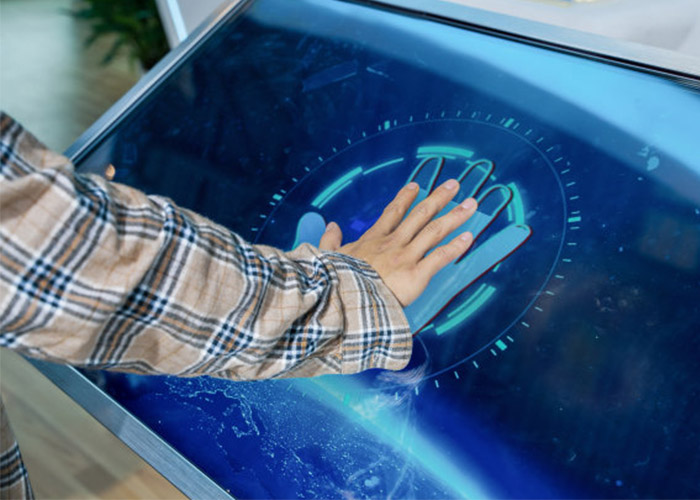
Multitouch table technology turns a horizontal display into a shared digital workspace where several people can explore information together. Instead of asking visitors to stand in a queue behind one kiosk, a well-designed table lets families, customers, students or project teams approach from different sides and participate at the same time. The result can be more conversational than a wall display and more engaging than printed material, provided that the hardware, software and furniture are planned as one complete system.
How a Multi-User Touch Table Creates Shared Interaction
A modern system combines an LCD panel, projected-capacitive touch sensor, protective glass, computing platform and purpose-built application. The sensor reports many contact points quickly, while the software interprets taps, drags, rotations and pinch gestures. Good multitouch table technology does more than advertise a high touch-point number: it keeps tracking stable when hands cross, palms rest near the edge or several users move objects simultaneously. Testing with the final application is essential because real content places different demands on graphics, memory and touch processing.
Orientation also matters on a horizontal screen. Text and controls may need to rotate toward each user, while shared items should remain readable from several directions. A central collaboration zone can hold maps, products or media selected by individual browsing areas. Clear visual feedback helps every participant understand who controls an item and prevents accidental gestures from interrupting another person’s task.
Choose the Right Table Format for the Venue
Round tables support equal participation and work well in museums, learning spaces, restaurants and informal meeting areas. Rectangular tables provide more room for timelines, product comparisons and side-by-side documents. Custom shapes can follow an exhibition theme or architectural plan, but unusual outlines require careful review of viewing angles, glass strength, enclosure fabrication and service access. The best format starts with the user journey rather than an assumption that one shape fits every project.
Screen size should match both content and reach distance. A large surface can attract a group, yet controls placed too far from the edge may be uncomfortable for children or seated users. Designers should map common tasks onto a full-scale layout before production. This simple exercise reveals whether buttons are large enough, whether important content is blocked by hands and whether people can use the table without leaning across one another.
Plan Touch Performance and Protective Glass
Reliable multitouch table technology depends on a consistent relationship between the display, touch sensor and top surface. Glass thickness, bonding method, decorative printing and edge treatment can all influence sensitivity. The finished sample should be tested with dry and slightly damp fingers, quick gestures and sustained multi-user activity. Touch targets need generous spacing because horizontal interfaces are often used from a standing position and under changing ambient light.
The protective surface must withstand the venue’s cleaning routine and expected traffic. Tempered glass, rounded edges and a stable enclosure help manage public-use risks. Anti-glare treatment can improve visibility under ceiling lights, although every coating changes appearance slightly. Compare real material samples with the intended content colors instead of approving the surface from a specification sheet alone.
Match Computing Hardware to the Application
Android can suit focused catalogs, wayfinding and simple educational activities, while Windows may be preferred for custom applications, advanced graphics, external devices or established enterprise software. Processor, memory, storage and graphics capability should be selected after profiling the final program. Excess hardware adds cost and heat; insufficient hardware produces delayed animation and makes a responsive touch surface feel unreliable.
Multitouch table technology should start automatically, recover cleanly after a power interruption and keep public users away from operating-system settings. Content managers need a controlled method for publishing updates, and support staff need diagnostic access without exposing technical menus during normal use. Remote support is valuable, but it should complement clear local service procedures rather than replace them.
Design Content for Several Users
Multi-user content needs rules for ownership, collision and inactivity. Personal zones can let visitors browse independently, while a shared area encourages comparison and discussion. If two people select the same object, the interface should respond predictably. Sessions should return to a clean home screen after inactivity so personal choices are removed and the next group immediately understands where to begin.
Useful applications include museum collections, property plans, product configurators, training activities, digital menus and collaborative presentations. In each case, multitouch table technology should support a real goal instead of adding gestures for novelty. Short instructions, obvious home controls and accessible type sizes make the experience understandable to first-time users. Analytics can reveal which content attracts attention, but privacy requirements and offline operation should be decided before deployment.
Control Heat, Power and Daily Reliability
A horizontal enclosure needs a deliberate airflow path around the display, computer and power supply. Intake and exhaust openings should remain effective when the table is installed near furniture or walls. Quiet fans may be necessary in galleries, libraries and meeting rooms. Cable routing, surge protection and a secure power connection reduce avoidable failures, while scheduled startup and shutdown can simplify daily operation.
Service panels should provide access to the computer, controller boards, cooling components and power modules without dismantling the entire table. Replaceable parts and labeled cables reduce downtime. Staff should receive a concise routine covering cleaning, startup checks, application restart and incident reporting. These practical details often determine whether an installation remains dependable after the launch event.
Validate the Complete Experience Before Production
Approve the complete system with the actual enclosure, glass, software and representative content working together. Invite typical users to complete real tasks from different sides of the table. Observe reach, reflections, gesture conflicts, response time, sound level and recovery after repeated sessions. Acceptance criteria should measure task completion and stability, not only whether the screen turns on.
ZXTLCD can configure screen size, enclosure style, operating system, touch capability and optional modules around the needs of a specific venue. Early coordination between the content team, integrator and interior designer helps avoid late changes and creates a table that feels intentional in its environment. If you would like to get the specification about above product, contact our sales team now.