

An environmental exhibition interactive table gives museums, science centers and sustainability galleries a practical way to turn complex environmental topics into shared, understandable experiences. Visitors can explore maps, compare energy choices, follow recycling processes and discuss local actions around one horizontal screen. Unlike a passive video, the table invites people to make selections and immediately see results. A successful installation connects reliable hardware with clear storytelling, accessible interaction and an operating plan that exhibition staff can manage every day.
Build Environmental Stories Around Visitor Decisions
Environmental information often includes timelines, geographic layers, statistics and cause-and-effect relationships. A touch table can organize these elements into short journeys instead of showing one crowded page. Visitors might select a city, adjust transport choices and compare emissions, or sort everyday materials into the correct recovery streams. Each task should answer a clear question and end with a useful conclusion, so interaction supports learning rather than becoming a collection of decorative animations.
The environmental exhibition interactive table should also allow different levels of exploration. A family may need a simple activity that lasts two minutes, while a student group or guided tour may want detailed charts and supporting media. Layered content makes both possible. A clear home screen, large touch targets and visible progress help first-time users begin without staff assistance, while optional deeper sections preserve the value of the exhibit for repeat visitors.
Support Several Visitors at the Same Time
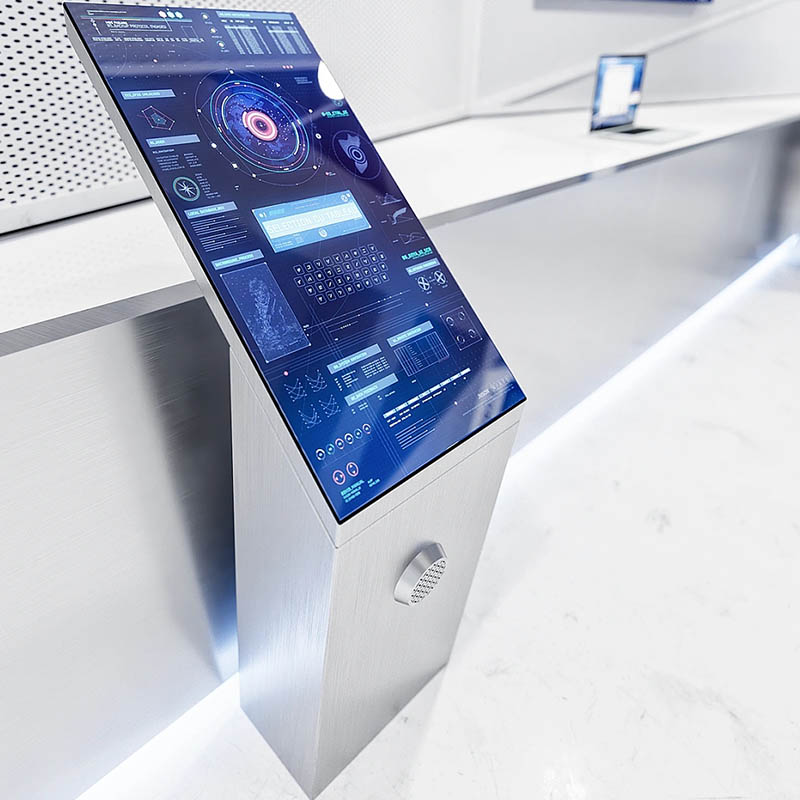
A horizontal display naturally attracts groups, but the interface must be designed for simultaneous use. Personal zones around the edge can let several visitors browse independently, while a central area presents selected objects for comparison. Controls should face the expected viewing direction, and shared items should remain understandable from multiple sides. When two people touch the same object, the software needs predictable ownership rules so one user does not accidentally interrupt another person’s activity.
Multi-touch performance must be verified with real exhibition behavior, including crossed hands, resting palms and rapid gestures from children. Advertising a high number of touch points is not enough. The environmental exhibition interactive table needs stable tracking, immediate feedback and a sensible limit on simultaneous actions. After a period of inactivity, the application should return to its home screen and clear the previous session, preparing the exhibit for the next group without staff intervention.
Choose a Display Surface for Exhibition Lighting
Overhead spotlights and daylight can create reflections on a horizontal display. Brightness, contrast, content colors, viewing angle and glass treatment should therefore be tested together in conditions similar to the final gallery. Anti-glare glass can improve readability, although every surface treatment affects sharpness and appearance. A full-size sample helps the project team judge whether labels, illustrations and maps remain clear from standing and seated positions.
The protective glass must tolerate frequent public use and the approved cleaning method. Rounded edges, stable support and an enclosure without exposed gaps make daily operation safer and easier. Touch sensitivity should remain consistent across the active area after the decorative border and top surface are installed. Accessibility checks should include reach distance, text size, color contrast and an interface option that does not depend only on color to communicate meaning.

Match Computing Hardware to Multimedia Content
Android can suit focused educational applications, image collections and simple quizzes, while Windows may be preferable for customized visualization, large datasets, multiple peripherals or advanced graphics. Processor, memory, storage and graphics capability should be selected after the final application is tested. Smooth zooming, responsive maps and reliable video playback are more important than an impressive specification that has not been validated with the actual content.
An environmental exhibition interactive table should start automatically, recover after a power interruption and prevent public access to operating-system menus. Authorized staff need a controlled method for updating approved content and restarting the application. If the exhibit uses internet data, the team should decide how cached content and error messages behave when the connection is unavailable. Offline fallback material keeps the experience useful and avoids showing technical errors to visitors.
Coordinate the Table with Other Multimedia Exhibits
Touch tables can work alongside projection, sensor-based installations, physical samples and wall displays. The table may act as an introduction, a detailed research station or a final activity where visitors apply what they learned. Consistent visual language and terminology help the entire gallery feel connected. Audio should be optional or delivered in a way that does not compete with nearby exhibits, while captions ensure that essential information is still available in quiet or noisy spaces.
The environmental exhibition interactive table can also connect digital content with physical objects. Marked samples, RFID or object-recognition modules may trigger information about materials, manufacturing impact or recycling routes. Such modules should be included only when they improve the learning objective. Every extra device affects enclosure design, power distribution, software testing and maintenance, so a focused experience is usually more dependable than a table filled with unrelated features.
Plan Cooling, Service Access and Daily Care
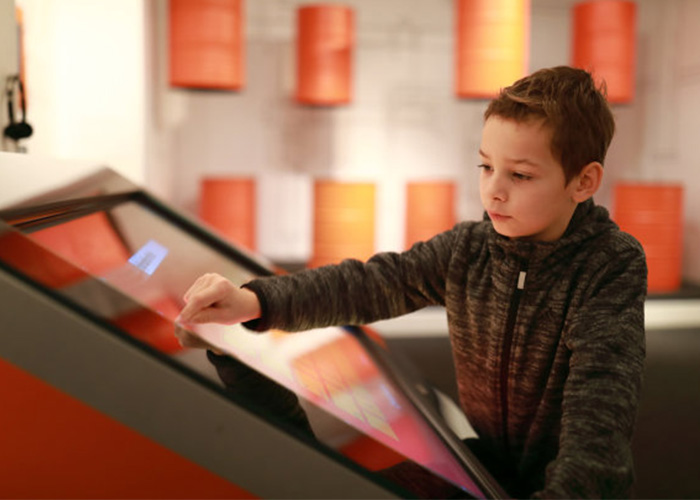
Displays, computers and power supplies generate heat inside a horizontal enclosure. The airflow path should remain effective after installation near walls, showcases or other furniture. Quiet cooling is important in museums and education centers, and intake openings need protection from dust without becoming difficult to clean. Power cables should be secured, internal wiring labeled and service components reachable without dismantling the entire exhibit.
Daily procedures can be simple: clean the glass with approved materials, confirm that the application starts correctly and report unusual heat, sound or touch behavior. Replaceable computers, power modules and controllers reduce downtime. Remote diagnosis can support software issues, but local access remains necessary for physical maintenance. Documentation should identify common recovery steps and the contact route for problems that exhibition staff cannot resolve.
Validate Learning Results Before Final Production
Prototype testing should involve representative visitors, not only the technical team. Ask users to complete real activities, then observe whether they understand the instructions, collaborate naturally and reach the intended conclusion. Measure response time, session recovery, reflections, touch conflicts and continuous operating stability. Feedback from educators and exhibition staff can reveal where terminology, navigation or maintenance procedures need improvement before the enclosure and application are finalized.
ZXTLCD can configure an environmental exhibition interactive table around the venue, screen size, enclosure style, operating system, content workflow and optional modules. Coordinating the display, touch system, computing hardware and service structure early helps create a dependable exhibit that supports environmental education for years. If you would like to get the specification about above product, contact our sales team now.