
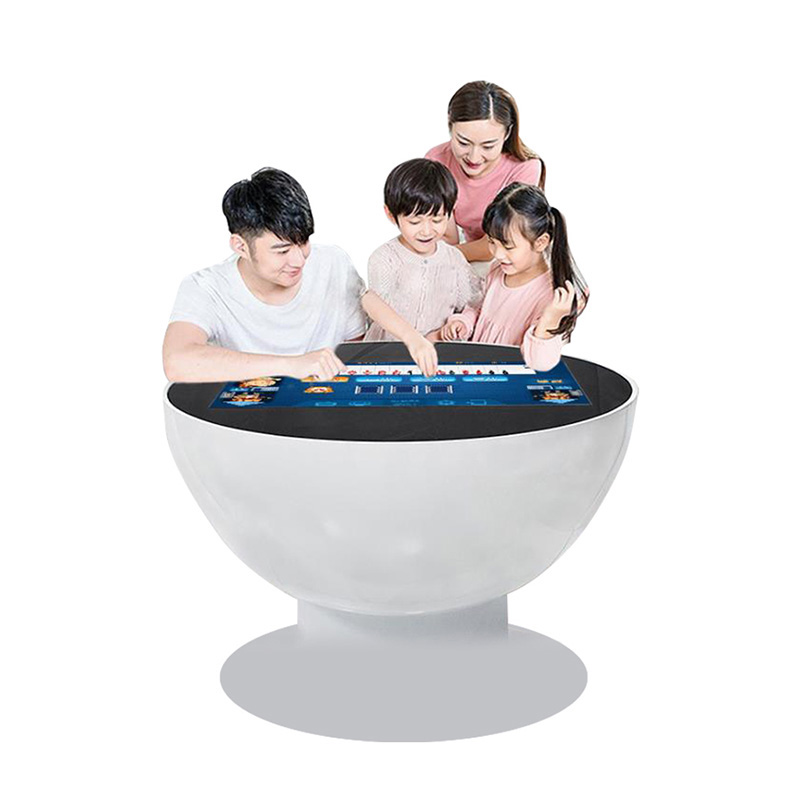
In hotels, entertainment lounges, brand experience stores and family activity spaces, a custom entertainment touch table works as both digital equipment and public furniture. It can support games, product browsing, digital drawing, quizzes and video content, but a reliable experience depends on more than an attractive interface. Content must suit several users, the system must recover easily, and staff need a practical maintenance routine.
Define the interaction before customizing the appearance
Entertainment applications are often used by people standing on different sides of the table. The interface should therefore use clear entry points, large touch targets and a visible way to return home. Important controls should not be hidden inside deep menus, and a finished session should be easy to reset for the next group.
When the table supports games, brand presentations and general information, separate those activities on the home screen. A visitor should not be able to leave a game and enter system files, administrative settings or private content. Custom colors, enclosure finishes and startup graphics can match the venue, but the operating plan must identify installed software, network requirements and recovery steps.
Test multi-user entertainment under real conditions
A game that works for one person may behave differently when several users touch, drag and rotate objects at the same time. Ask multiple testers to use the table from different sides. Check whether touch points interfere with one another, whether content orientation is understandable, and whether performance remains stable during simultaneous input.
Test the edges, corners and most frequently used controls rather than only the center of the screen. When a button needs repeated taps, examine its size and the software response before changing sensitivity. If accounts, scores or player names are used, configure a clear logout or automatic reset so the next visitor does not see the previous user’s information.
A custom entertainment touch table should also be tested for interrupted sessions. Close an application unexpectedly, disconnect the network and restart the system to confirm that staff can return to the approved public interface without opening technical menus in front of visitors.
Clean a high-traffic touch surface safely
Frequent public use leaves fingerprints, skin oils and small particles on the screen. Turn the display off before cleaning so marks are easy to see. Remove loose dust with a clean microfiber cloth, then use a second lightly dampened cloth for residue. Apply approved cleaner to the cloth instead of spraying the display.
Keep liquid away from screen edges, enclosure seams and ports. In a venue that serves drinks, provide coasters or a defined beverage area away from the display. If a spill may have entered a joint, disconnect power according to the site procedure and arrange inspection rather than continuing operation after wiping only the visible surface.
Cleaning frequency should follow visitor traffic. Busy periods may require several light cleanings, followed by a fuller closing inspection. A cloth used on floors, legs or other rough surfaces must never be reused on the glass because trapped grit can mark the screen.
Inspect the structure and cooling conditions
Visitors may lean on the edge during play, so inspect the legs, base, fasteners and underside panels regularly. Watch for new movement, gaps or sounds. Tightening should follow the assembly guidance; excessive force can damage threads or hide a component that needs replacement.
Keep ventilation openings clear of sofas, decorative panels, curtains and event materials. Interactive games can place a sustained load on the computer. An unusual fan sound, repeated slowdown or automatic shutdown should be recorded and investigated instead of treated with repeated forced restarts.
Move the table only after a controlled shutdown
Before relocation, close applications, sign out of public sessions and shut down normally. Disconnect power, network and accessories, clear the top and secure loose cables. Use approved structural points or handles rather than pushing on the touch glass.
After moving a custom entertainment touch table, place it on a level surface, lock any movement system and confirm stability. Inspect cables for pinching, restart the system and test touch across the full display before returning it to public use.
Use opening and closing checks
Before opening, start the public application and test the main games, touch response, audio, network and return-home function. Confirm that the screen is clean, the table is stable, ventilation is clear and cables do not cross a visitor route.
At closing, exit user accounts, clear unfinished entries, review storage space and close unnecessary applications. Schedule software updates and major content changes outside operating hours. Restart and test the complete public experience after every update.
Review content as part of maintenance
Review public content every month. Remove expired campaigns, broken links and duplicate media, and confirm that essential games can still open without an administrator account. Keep an approved backup of the working package before installing a replacement. When a new game is introduced, test loading time, audio level, reset behavior and simultaneous touch before allowing public access. This content discipline helps a custom entertainment touch table remain understandable and responsive as the venue changes.
Keep customization maintainable
Customization is most valuable when it supports the venue rather than creating an interface that only one technician understands. Keep a record of software versions, startup steps, network settings, content packages and approved recovery procedures. Train staff to report the exact symptom and time of a fault.
With careful software testing, public cleaning, structural inspection and simple recovery procedures, a custom entertainment touch table can provide consistent group interaction. Its strongest feature is not novelty alone, but the combination of shared digital play and dependable everyday operation.